
Easy and Quick Grade: Grading Calculator Is a Teacher’s Love
Do you ever sit with a stack of quizzes or tests, tired and wondering how much time you’ll waste calculating each student’s score? That’s where a grading calculator comes in — a simple, fast way to turn correct/wrong answers into percentages or letter grades, without pulling out a paper, pen — or even a calculator app.
Whether you call it Quick Grade, Easy Grader, Teacher Grader, or Free Grading Calculator, the idea is the same: make grading quick, painless, and accurate.
What’s a grading calculator?
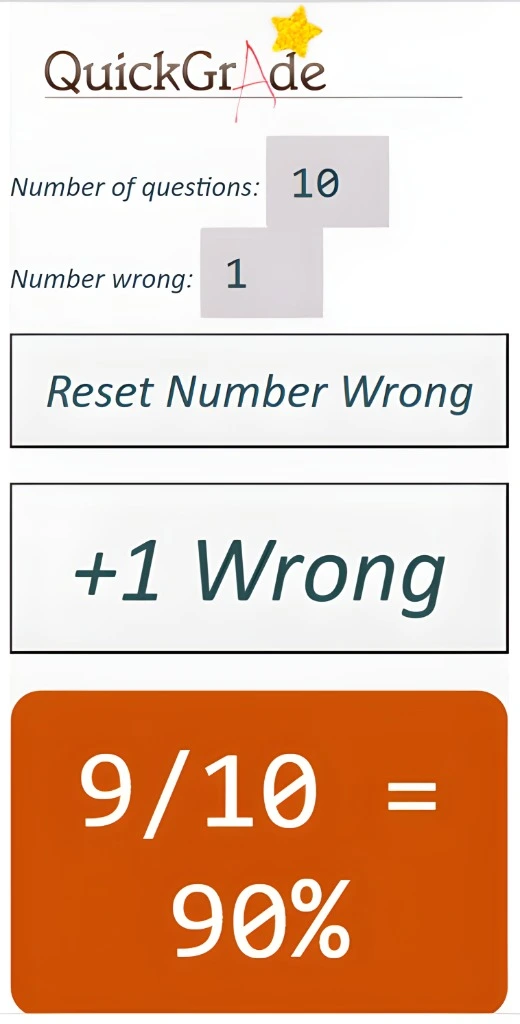
A grading calculator lets you plug in the total number of questions (or total points) and number of incorrect answers — and it instantly gives you a percentage, letter grade, or GPA. No manual math, no stress. It’s basically a shortcut so you don’t have to do the math yourself.
Why Teachers, Students or Parents Love It
Core Features and Attributes
Let’s look at the most contributing factors of the grading calculator tool.
Saves Time & Energy:
Grading one paper manually is okay, but for many — it gets tiring. A calculator cuts down that time dramatically.
Instant Results:
For quizzes or practice work, students get feedback quickly. Teachers don’t need to delay returning grades.
Flexible for Different Systems:
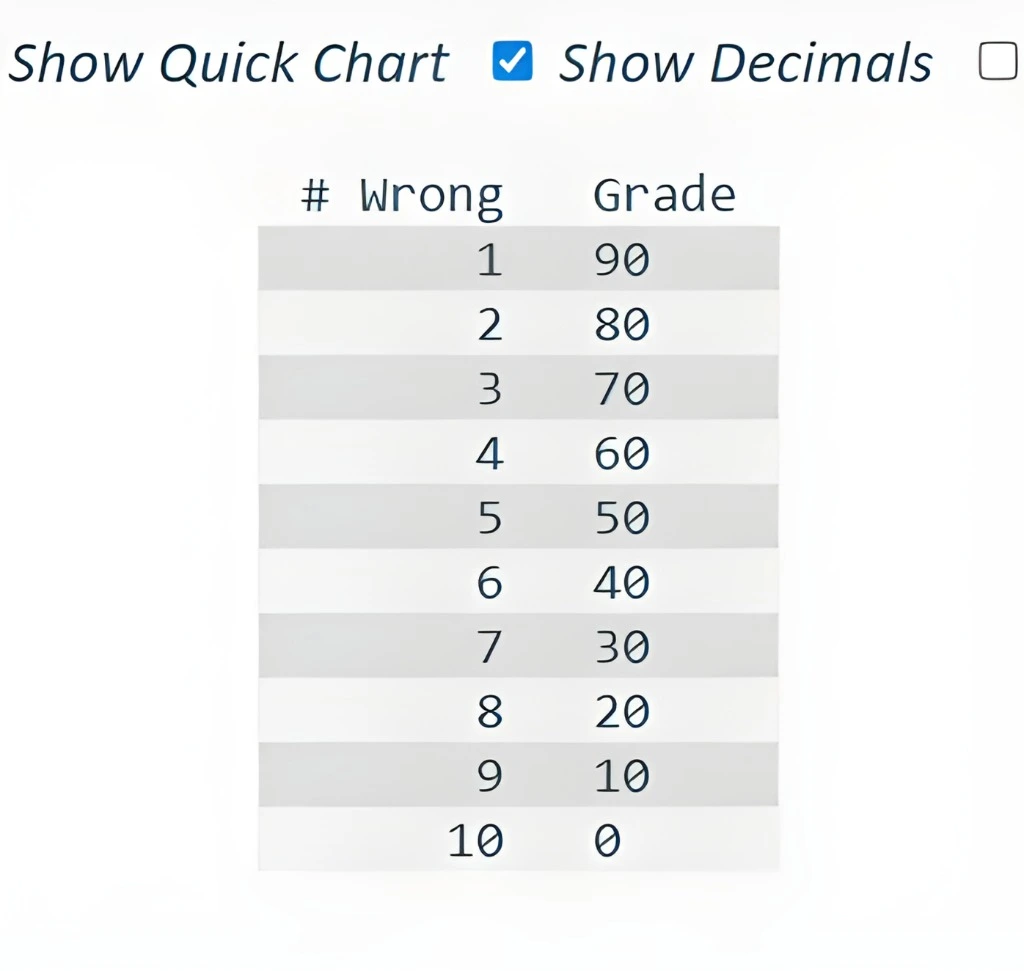
Whether you use percentages, points, or letter grades, many calculators adapt.
Less Chance for Mistakes:
Manual math sometimes goes wrong. A calculator does it right — consistently.
Good for Everyone:
Teachers, tutors, parents helping kids at home, or students self‑checking — all benefit.
Who Should Use a Grading Calculator — and When
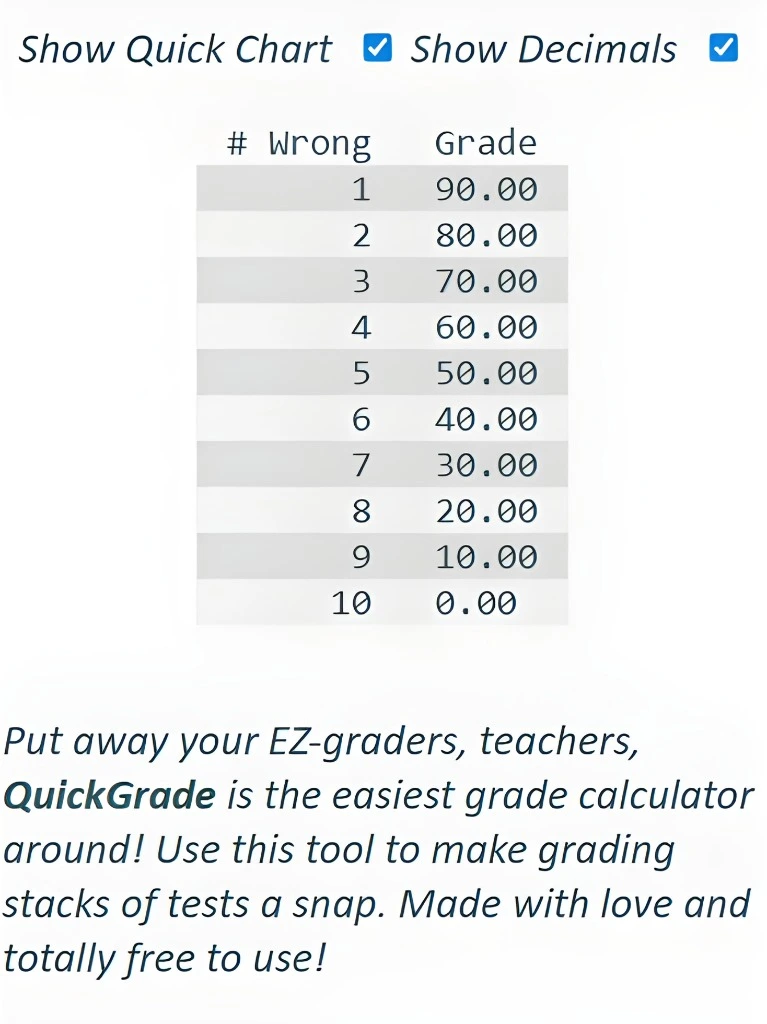
If you want fast, accurate, and stress‑free grading, a calculator is worth it.
What Makes a Good Grading Calculator (or What to Look For)
If you plan to use or build one, make sure it has:
These features make the tool flexible and valuable for many types of users.
When a Grading Calculator Is Great — And When It’s Not Enough
When It’s Great
When It Falls Short
In short: grading calculators shine when scores are straightforward. For subjective or complex tasks — you still need human judgement.
How Grading Calculators Handle Extra Credit and Retakes
Grading calculators allow teachers to add extra credit or adjust scores for retakes easily. These tools often have a separate field for extra credit, so the student’s efforts are rewarded without complicating the original grading. When a student retakes a test, the calculator can update the grade based on the new score, reflecting their improvement without manually recalculating the entire gradebook.
Are Grading Tools Safe? Privacy and Security Explained
Grading tools are generally safe if they are designed with strong security protocols. These tools typically encrypt student data, ensuring that personal information remains private. However, teachers and schools should be cautious and verify the privacy policies of any platform they use, ensuring data is stored securely and that no unauthorized parties can access sensitive information.
Can Graders Support Standards-Based and Holistic Grading?
Many grading calculators are designed to handle traditional grading systems, but not all support standards-based or holistic grading approaches. Some digital gradebooks allow customization, enabling educators to set up grading based on mastery of standards or broader assessments. However, for more subjective grading such as evaluating skills or behavior, calculators are not always sufficient and may require supplementary tools or manual input.
Avoid Unfair Grades: Rounding and Partial Credit in Calculators
Rounding and partial credit are common challenges when using automated grading tools. To avoid unfair grades, it’s essential to select a calculator that allows adjustments for rounding rules and partial credit. This ensures that students who correctly understand material but make small mistakes are not penalized too harshly and that scores are rounded according to the chosen grading policy.
Managing Weighted Grades with a Grading Calculator
A good grading calculator can handle weighted grades by allowing teachers to assign different importance to various assignments, exams, or projects. By inputting the weight of each component, the calculator automatically computes the final grade based on the assigned values. This method makes it easier to reflect the varying significance of different parts of a course.
Why Essays Still Need Human Grading
While automated grading tools work well for objective assessments, they cannot replace human judgment for essays or projects. These assignments often require nuanced evaluation, considering structure, clarity, originality, and argument strength, which an algorithm may miss. For meaningful and fair grading of subjective tasks, human intervention is still crucial.
How Grading Tools Help Reduce Teacher Burnout
Grading tools can significantly reduce teacher burnout by automating time-consuming calculations and record-keeping. Instead of manually grading each paper or calculating percentages, teachers can input scores into a grading calculator and let it do the math. This saves hours of work, reduces mental fatigue, and gives teachers more time for planning and student interaction.
Is Your Grading System Fair? The Role of Calculators
Grading calculators can contribute to fairness by applying consistent criteria to all students. They ensure that calculations are error-free and that every student’s score is handled the same way. However, for grading systems that involve subjective assessments, such as participation or effort, calculators are less helpful and must be complemented with human judgment.
Tips for Using Grading Tools Effectively
To use grading tools effectively, ensure you input the correct data, such as the total points possible and the weights for each assignment. Customize the grading scale to match your class’s needs and regularly update scores for retakes or extra credit. By staying organized and double-checking entries, you can make the most out of these tools while ensuring fairness.
Choosing the Right Grading Calculator for Teachers and Parents
When choosing a grading calculator, look for features like support for weighted assignments, easy bonus point adjustments, and the ability to update grades for retakes. Ensure the tool has a simple, user-friendly interface and doesn’t store personal student data unnecessarily. The right calculator should streamline grading without sacrificing flexibility or security.
Grading Calculators and Complex Policies: Pros and Cons
Grading calculators are great for managing straightforward, numerical grades and assignments with clear rules. However, they may struggle with complex grading policies such as extra credit, bonus assignments, and curve-based grading. While they save time and reduce errors, these tools are less effective when dealing with more nuanced grading systems.
Can Grading Tools Replace Manual Grading for Essays?
Automated grading tools can’t fully replace manual grading for essays, as they fail to consider the depth of analysis, creativity, and writing quality. Essays and subjective work require nuanced assessment, which automated tools cannot replicate. Teachers should still rely on their professional judgment to grade essays fairly.
What to Look for in a Grading Calculator
When choosing a grading calculator, ensure it offers support for various grading methods, including weighted grades and extra credit. Look for a simple, clear interface, and check if the calculator allows manual adjustments for rounding, partial credit, and retakes. Additionally, ensure it’s mobile-friendly and adheres to privacy standards for secure data handling.
Handling Complex Grading Systems with a Calculator
For courses with multiple types of assignments or projects, a good grading calculator can help simplify the process by allowing teachers to input different weights for each component. By calculating grades based on these weights, the tool provides an accurate, consolidated grade that reflects all parts of the course. This makes it easier to manage complex grading systems.
Reducing Teacher Stress with Grading Tools
Grading tools ease teacher stress by automating calculations, freeing up time to focus on other essential tasks, such as providing feedback and engaging with students. With grading calculators handling the math, teachers can avoid the mental strain of grading manually, helping them maintain a healthier work-life balance and reduce stress.
Ensuring Fairness with Grading Calculators
To ensure fairness, it’s important that grading calculators are used consistently and transparently. These tools help eliminate errors in calculation and provide clear, objective results. However, fairness also depends on how the tool is used — ensuring that partial credit, bonus points, and retakes are handled properly and that subjective assessments are graded by a teacher.
Maximizing Accuracy in Grading Calculators
To maximize the accuracy of grading calculators, input data carefully, and regularly update scores for assignments, quizzes, or retakes. Choose a tool that allows for customization of grading scales and includes the option to adjust for rounding or partial credit. Always verify the results if the tool uses complex grading systems, like weighted averages or cumulative grading.
Grading Multiple Assignments with a Calculator
Grading multiple assignments becomes easier with a grading calculator that can handle various types of assignments, such as quizzes, projects, and tests. By inputting the weight for each assignment, the tool calculates an overall grade that reflects all graded components. This simplifies tracking progress across a semester or course.
Are Grading Calculators Effective in Classrooms?
Grading calculators are highly effective in classrooms where grading is based on numerical scores. They speed up the grading process, reduce errors, and give both teachers and students a clear understanding of academic performance. However, for courses that require subjective evaluation, like essays or creative work, grading calculators should be supplemented with teacher feedback.
How Grading Tools Help with Retakes and Second Chances
Grading tools provide flexibility for retakes or extra credit by allowing teachers to easily update scores. When a student retakes a test or completes extra assignments, the tool can quickly recalculate the grade based on the new information, making it easier to reflect a student’s improvement and provide second chances without extra effort.
FAQs
CONCLUSION
In conclusion, Quick Grade offers an incredibly efficient and user-friendly way to handle the often time-consuming task of grading. Whether you’re a teacher managing multiple assignments, a parent checking student progress, or a student self-grading practice tests, this tool simplifies the grading process by automating calculations, handling weighted grades, and even adjusting for extra credit and retakes. By reducing manual effort and minimizing errors, Quick Grade helps create a more streamlined, accurate, and fair grading experience.
As educational systems evolve, it’s crucial to have tools that adapt to different grading methods, whether for objective tests or more complex grading systems. With QuickGrade, you can easily customize grading scales, manage complex grading policies, and ensure fairness across all students.
So, if you’re looking for a free, easy-to-use grading solution that saves you time and effort, Quick Grade is your go-to tool. Give it a try, and let it help you take the stress out of grading — so you can focus more on teaching, learning, and growth.