

Teachers: Here’s Why Grading Calculators Save Time
As a teacher, you probably already know how time-consuming grading can be. With numerous assignments, quizzes, and tests to grade, it can feel like your entire day is consumed by calculating scores. But what if there was a way to speed up this process, reduce errors,Quick Grade and free up more time for teaching? Grading calculators are the answer, and here’s why they are a game-changer for teachers.
What is a Grading Calculator?
A grading calculator is a tool that helps teachers quickly and accurately calculate student grades. Instead of manually adding up scores and averaging grades, you enter the scores and the tool automatically does the math for you.
It’s like having an assistant that handles the tedious calculations so that you can focus on more important tasks — like lesson planning or student interaction.
Why Grading Calculators Save Time
Instant Results
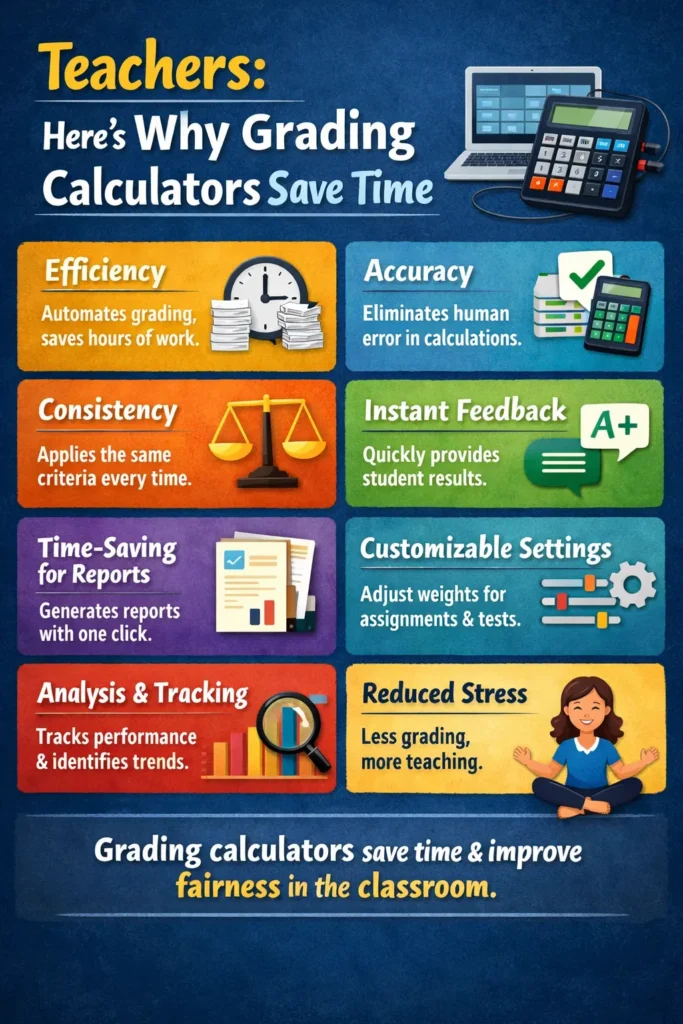
One of the biggest time-savers is the speed at which grading calculators work. After entering the necessary scores and assignment weights, the tool provides the final grade almost instantly. No more hours spent manually tallying up scores!
No More Mistakes
Grading calculators eliminate human error, which is especially helpful when you’re dealing with large volumes of student work. By automating the process, you can be sure the calculations are accurate and that no scores have been missed or miscalculated.Easy Grader,
Simplified Setup
Grading calculators are designed to be simple and user-friendly. Many systems allow you to set up grading parameters once, such as assignment weights, and then reuse them for future assignments. This eliminates the need to set up a new grading scheme each time.
Efficient Handling of Multiple Assignments
When you have a large class with many assignments, grading calculators save you from having to manually calculate each one. With just a few clicks, you can process dozens or even hundreds of grades at once, saving hours of work.
Automated Average Calculations
Grading calculators can automatically calculate averages, which is especially useful when you need to determine final grades. This process is much faster than manually calculating averages for each student.
How Grading Calculators Streamline the Grading Process
Set Your Grade Weights
Before you begin, it’s important to set how much each assignment counts toward the final grade. Grading calculators let you input this information once, and it will apply to all future grading, making it easier to stay consistent..YOU CAN ALSO READ:Easy Grading: How to Use Grading Calculators Efficiently
Enter Scores
For each assignment, you simply enter the student scores. The grading calculator does the hard part — calculating the weighted scores, averages, and final grades.
Save Time and Move On
Once the grades are calculated, you can quickly move on to other tasks. You no longer have to spend time cross-checking numbers or manually updating gradebooks.
Tips for Using Grading Calculators Effectively
Use a Consistent Grading System: Set up your grading calculator to match your grading scale. Be sure to use the same weighting for all assignments to maintain fairness and clarity.
Input Scores Correctly: Double-check that all scores and weights are entered accurately. While grading calculators minimize mistakes, incorrect data will still affect the results.
Take Advantage of Reports: Many grading calculators generate reports, allowing you to quickly review how each student is performing, identify trends, and make improvements where necessary.
FAQs
How do grading calculators save time?
Grading calculators instantly calculate grades based on the scores you enter, which saves you the time it would take to manually add up and average scores.
Are grading calculators easy to use?
Yes! Most grading calculators are designed to be user-friendly, requiring only basic input from you, such as scores and weights. Many tools offer simple interfaces with clear instructions.
Can grading calculators be used for different grading systems?
Absolutely! Many grading calculators allow customization, so you can adjust the tool to fit your grading scale, whether you’re using percentage grades or letter grades.
Can I track student progress with a grading calculator?
Some grading calculators allow you to track student progress over time, which helps you identify trends and monitor improvements.
Are grading calculators free?
Yes, many grading calculators are available for free. Some advanced tools, such as those with gradebook features, may require a subscription or payment.
Conclusion
Grading doesn’t have to take up all your time. Grading calculators offer a quick, accurate, and easy way to handle the most tedious part of teaching. By automating the process, you can save time, reduce mistakes, and get back to what matters most — teaching and engaging with your students. Whether you’re managing a few students or a full classroom, grading calculators can make your job easier and help you stay on top of grading.


