

Why Grading Calculators Are a Teacher’s Best Friend
As a teacher, grading can sometimes feel like a never-ending task. Whether it’s papers, quizzes, projects, or exams, the grading pile always seems to grow. Quick Grade But what if there was a way to make the process faster, easier, and more accurate? Enter the grading calculator — a tool that can truly be a teacher’s best friend.
Grading calculators help you quickly and efficiently calculate final grades, ensure fairness in grading, and save you valuable time that can be better spent on teaching. Here’s why every teacher should consider using a grading calculator.
1. Speed Up the Grading Process
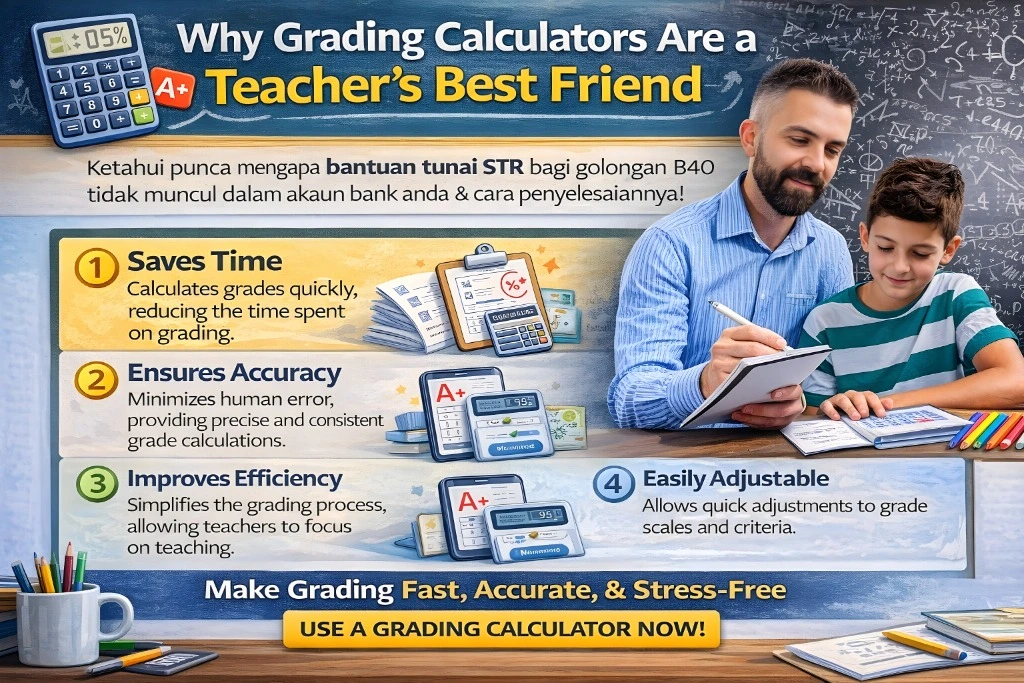
One of the biggest challenges of grading is how time-consuming it can be. Whether you’re manually calculating percentages or tallying up points for multiple assignments, it can take hours. A grading calculator eliminates much of the manual work by doing the math for you.
- Automatic Calculations: For tests, quizzes, and assignments, you simply enter the scores, and the calculator computes the grade instantly.
- Weighted Grades: Many calculators let you input different weights for assignments (e.g., homework, exams, projects) and will calculate the final grade based on those weights.
Why It’s Helpful:
This saves you time and ensures that you’re not spending all your evenings and weekends crunching numbers.YOU CAN ALSO READ:How Grading Calculators Make Scoring Easier for Teachers
2. Reduce the Risk of Errors
Manual grading comes with the risk of human error — miscalculating points, entering the wrong data, or forgetting to carry out certain steps. Grading calculators remove this issue by doing the math for you, ensuring that your grades are accurate and consistent every time.
- Automated Math: Grading calculators ensure that all your calculations are correct, whether you’re grading simple assignments or complex weighted grades.
- Consistency: You don’t have to worry about inconsistencies from one student to the next, as the calculator applies the same criteria to everyone.
3. Save Time for More Important Tasks
Grading can often take up so much of your time that you feel like there’s little left for other teaching tasks — like preparing lessons, working with students individually, or even just having a breather. Grading calculators help you get through the task faster, freeing up time for more important things.
- Instant Feedback: Grading calculators can also provide instant feedback for students on tests and assignments. This is especially helpful for quick-turnaround assignments where timely feedback is important.
- Bulk Grading: Some grading calculators allow you to input data for multiple students at once, reducing the time spent on each student.
Why It’s Helpful:
By automating the tedious parts of grading, you get more time to focus on what really matters — teaching and engaging with your students.
4. Stay Organized with Digital Gradebooks
When you’re juggling a number of assignments, quizzes, and projects, keeping track of all the grades can become overwhelming. Grading calculators often come with built-in digital gradebooks, so you can organize everything in one place.
- Automatic Recording: Many tools let you enter scores for each assignment and automatically update the gradebook.
- Track Progress: Digital gradebooks allow you to track students’ progress over time, giving you a clear overview of class performance.
Why It’s Helpful:
With everything organized in one place, it’s easier to spot trends, see where students might be struggling, and even share reports with parents or administrators.
5. Provide Clear, Consistent Feedback
Feedback is an essential part of grading, but it can be time-consuming to write personalized comments for each student. Grading calculators help by automating some aspects of feedback, especially for technical errors like grammar, spelling, or missed concepts.
- Automated Comments: Some grading calculators allow you to save comment templates for common issues (e.g., “Needs improvement in structure” or “Good use of evidence”), making it faster to add feedback.
- Rubric-Based Feedback: Tools that use rubrics can ensure that feedback is consistent and aligns with the grading criteria you set.
Why It’s Helpful:
You can provide quick, consistent, and constructive feedback without spending hours typing the same comments for each student.
6. Help with Data Tracking and Reporting
As a teacher, you need to regularly report on student performance, both for your records and to share with parents or school administrators. Many grading calculators offer analytics features that can help you track student progress, identify trends, and generate detailed reports.
- Class Performance Insights: You can quickly see how the class is doing overall, which assignments were the toughest, and where students need the most help.
- Custom Reports: Some tools allow you to generate and export reports to share with students, parents, or school leadership.
Why It’s Helpful:
By providing data-driven insights into student performance, grading calculators help you make more informed decisions about your teaching and support students more effectively.
Top Grading Calculators Teachers Should Try
If you’re ready to start using a grading calculator, here are some great options to consider:
- Google Sheets + Add-ons: Free and customizable for all types of grading, with add-ons like Flubaroo for automatic grading and feedback.
- GradeHub: A simple, user-friendly gradebook that allows you to input assignments, track grades, and calculate final grades based on weights.
- Quizizz: Ideal for quick quiz grading and instant feedback, especially for multiple-choice and true/false questions.
- Canvas or Google Classroom: These platforms come with integrated grading tools that allow you to grade assignments and track student performance automatically.
(FAQs)
1. Are grading calculators free to use?
Many grading calculators, like Google Sheets or Quizizz, offer free versions. Some premium features or advanced tools may require a paid subscription, but the free versions are sufficient for most classroom needs.
2. Can grading calculators handle all types of assignments?
Grading calculators work best for assignments with clear answers or grading criteria, like multiple-choice tests, quizzes, and rubrics. For more subjective assignments (e.g., essays), they can help with technical aspects like grammar or structure but still require your judgment for content.
3. How do grading calculators handle weighted grades?
Most grading calculators allow you to assign weights to different assignments (e.g., homework, exams), and they will automatically calculate final grades based on those weights.
4. Can I use grading calculators for both small and large classes?
Yes! Whether you have 10 students or 100, grading calculators can handle any class size. Many calculators also allow for bulk grading, making it even easier to handle large volumes of work.
5. Do grading calculators provide feedback?
Yes, many grading calculators offer automated feedback for things like grammar, spelling, or missed questions. Some also allow you to input personalized feedback, ensuring consistency and saving time.
Final Thoughts
Grading calculators are a teacher’s best friend because they save time, reduce errors, and increase consistency. Whether you’re handling quizzes, essays, or projects, these tools make grading more efficient, leaving you with more time for what matters — teaching. Start using a grading calculator today and experience how much easier grading can be!


