
What to Look for in the Best Grading Calculator
Grading tools can save teachers hours of manual work and help ensure that scores are accurate and fair. But not all grading calculators are created equal. When you’re choosing the best tool for your class, there are a few key things to keep in mind so you get the most helpful, Quick Grade reliable, and easy-to-use option possible.
Here’s what you should look for when picking a grading calculator:
1. Easy and Intuitive Interface
The best grading calculators are simple to use. You shouldn’t need a manual to figure out how to enter scores or calculate grades.
An intuitive layout means you spend more time teaching and less time figuring out how the tool works. Teachers of all tech levels should be able to use it with minimal training.
Look for tools where entering scores and getting results feels straightforward and fast.YOU CAN ALSO READ:Grading Calculators for Teachers: Why They Work
2. Support for Weighted Grades
Many classrooms use weighted grading — different assignments and tests count for different percentages of the final grade.
The best calculators let you assign weights to categories like homework, tests, projects, and participation. They’ll automatically compute the correct weighted average for you.
This helps you match your school’s grading policies without doing the math yourself.
3. Accurate and Reliable Calculations
Accuracy is critical. A great grading calculator should always compute grades correctly, whether it’s a simple percentage or a complex weighted system.
Make sure the tool follows standard calculation methods so your results match what parents, students, and administrators expect.
Avoid tools that give inconsistent or unclear results — especially near grade cutoffs.
4. Customization Options
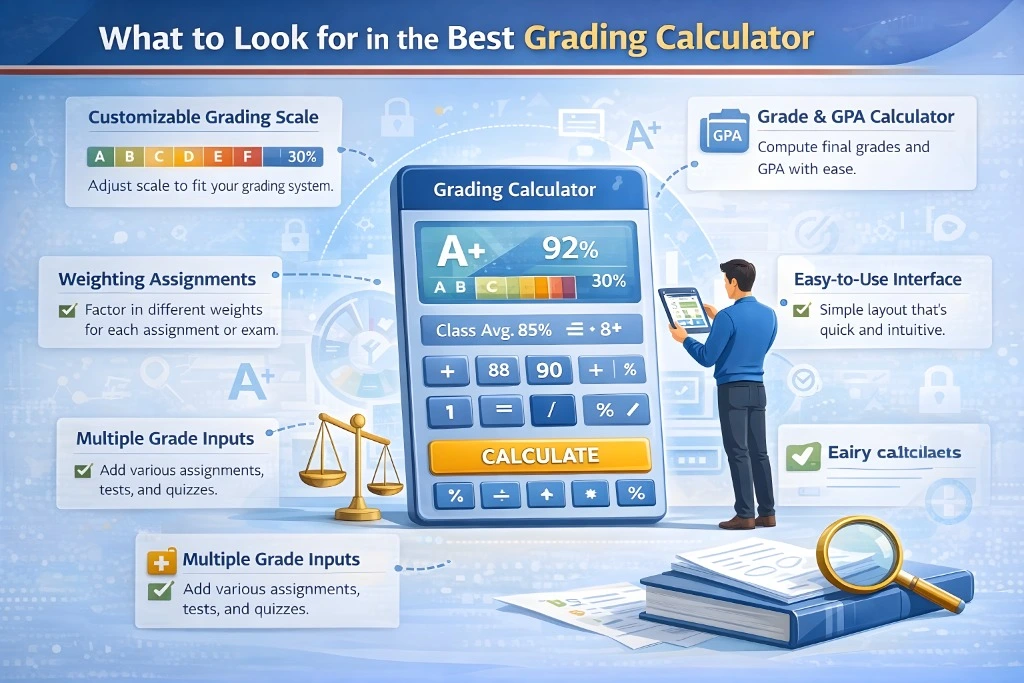
Every class is different, and a good grading calculator should let you customize how grades are computed.
Change grade scales (like A/B/C or percentage ranges). Add custom rules for extra credit, attendance penalties, or bonus points. Apply rubrics for more detailed scoring if needed.
Customization means the tool works your way, not the other way around.
5. Extra Features That Add Value
The best grading calculators go beyond simple score calculation and may include helpful extras:
- Class averages or trend reports — See how the class is performing overall.
- Conversion tools — Convert percentages to letter grades or GPA scales easily.
- Prediction tools — Help students see what they need on future tests to reach a target grade.
- Mobile-friendly design — Grade on the go from your phone or tablet.
These features make the tool more useful and help you use grades as part of your teaching strategy.
(FAQs)
1. Can grading calculators handle complex grading systems?
Yes! The best tools let you input weights, set custom grading scales, and calculate weighted averages automatically so you don’t have to run formulas by hand.
2. Are free grading calculators accurate?
Many free tools are very accurate for general classroom use. Just make sure to test them with sample data to confirm they compute scores the way you expect.
3. Do grading calculators work on phones or tablets?
Some grading calculators are mobile-friendly, meaning you can enter scores and review results on a phone or tablet, which is great for grading on the go.
4. Can these tools track class performance over time?
Some tools offer analytics that show class averages and trends, which helps you spot patterns in student performance.
5. Do grading calculators replace a full gradebook?
Not always. Simple calculators are great for quick grade calculations, but if you need full record-keeping, attendance tracking, or parent communication, you may also want a digital gradebook alongside the calculator.
Final Words
Choosing the right grading calculator can make a real difference in your teaching workflow. Look for tools that are easy to use, accurate, and flexible — ones that let you set up grading your way, handle weighted scores, and give you insights into class performance.
The right grading calculator doesn’t just save time — it helps you grade consistently, avoid errors, and focus more on teaching and less on math. Start with a tool that fits your grading style and classroom needs, and you’ll notice the difference every grading period.