

Grading Calculators for Teachers: Why They Work
As a teacher, grading is one of the most important — yet time-consuming — tasks you face. Whether you’re grading assignments, quizzes, or essays, it can feel overwhelming, especially if you’re managing a large class. Quick Grade The good news is that grading calculators are here to make this process faster, more accurate, and less stressful.
So, why do grading calculators work so well for teachers? Let’s take a closer look at how these tools can benefit you and why they’re becoming an essential part of the grading process.
1. Automate Calculations and Save Time
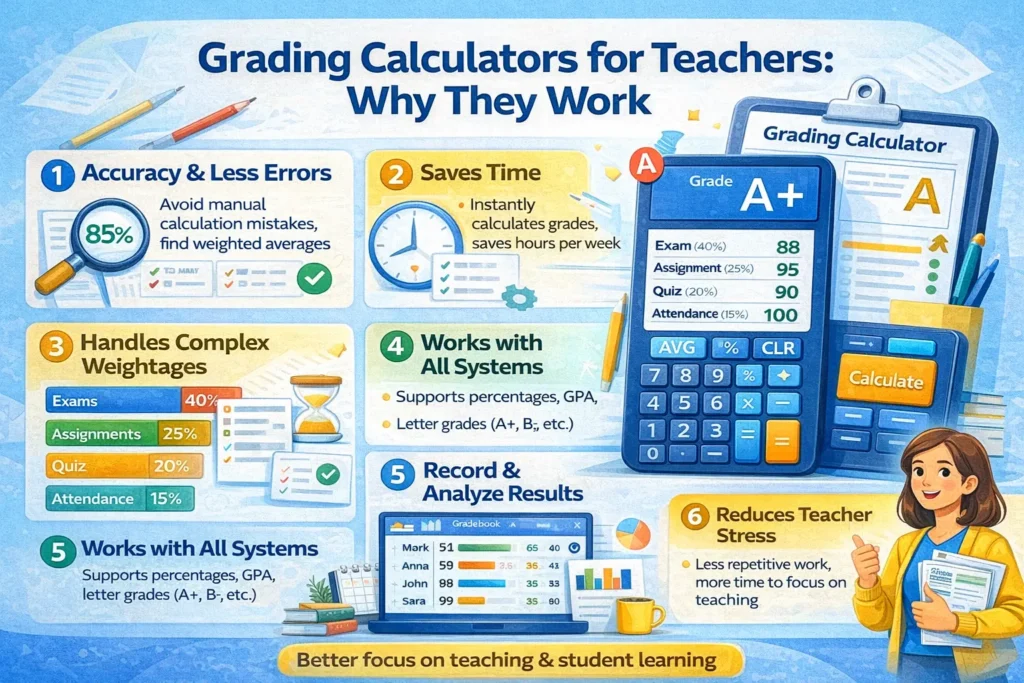
One of the biggest challenges in grading is the sheer amount of time spent on calculations. If you’re still manually adding scores, converting percentages, or calculating weighted averages, it can take hours to grade just a handful of assignments.
Grading calculators handle all of these tasks for you. You simply input the scores, and the calculator does the rest — automatically computing the final grade based on your grading system.
- Speed: The calculator instantly calculates grades and even provides detailed reports.
- Time-saving: Instead of spending hours on math, you can focus on providing meaningful feedback or engaging with your students.
Why It Works:
By automating the math, grading calculators free up your time, so you can spend more of it on teaching and less on administrative work.
2. Ensure Accuracy and Consistency
When grading manually, errors can creep in, especially when you’re handling large volumes of assignments. Missing a calculation or applying the wrong weight to an assignment can lead to inaccurate grades, and this can cause frustration for both you and your students.
Grading calculators are designed to minimize errors. They follow preset formulas and rules, ensuring that grades are calculated accurately and consistently across all students.
- Automatic Calculations: The tool automatically applies the grading scale and weights, removing the chance of human error.
- Fairness: Every student’s grade is calculated in exactly the same way, ensuring consistency and fairness.
Why It Works:
Grading calculators provide a reliable, error-free way to calculate grades, so you don’t have to worry about mistakes or inconsistencies.YOU CAN ALSO READ:How to Manage Grades with Minimal Effort Using Grading Tools
3. Streamline Feedback with Rubrics
Providing feedback on assignments, especially essays or projects, can be time-consuming. However, grading calculators can help you speed up this process by offering rubric-based grading.
- Rubrics allow you to set specific criteria (e.g., content quality, structure, grammar) for grading, and the calculator will apply them automatically.
- Some tools even allow you to save feedback templates or pre-written comments, so you can quickly give students targeted feedback.
Why It Works:
By using rubrics, grading calculators help you maintain consistency in feedback and ensure you don’t miss any important aspects of each student’s work.
4. Handle Weighted Grades with Ease
Many grading systems require you to weight certain assignments differently. For example, homework might be worth 20%, quizzes 30%, and exams 50%. Manually calculating these weighted grades can be tricky and time-consuming.
Grading calculators make it easy to apply weights to different types of assignments. You just need to input the weight of each category, and the calculator will automatically calculate the weighted average.
- No More Manual Calculations: The calculator applies the appropriate weight to each assignment type.
- Instant Results: Once the scores are entered, the tool automatically computes the final grade.
Why It Works:
By automating the process of applying weights, grading calculators ensure you don’t miss any important adjustments, making your grading more efficient and accurate.
5. Track Student Progress Over Time
A grading calculator doesn’t just help with final grades — it also helps you track student progress over time. Many calculators and gradebooks allow you to see class averages, individual progress, and trends in performance.
- Real-Time Insights: Many tools provide real-time data, helping you identify areas where students are struggling.
- Performance Trends: You can see how students have improved (or declined) throughout the course.
Why It Works:
Tracking progress over time helps you make data-driven decisions about your teaching methods and gives you insights into how students are performing overall.
6. Easy Reporting and Sharing with Students
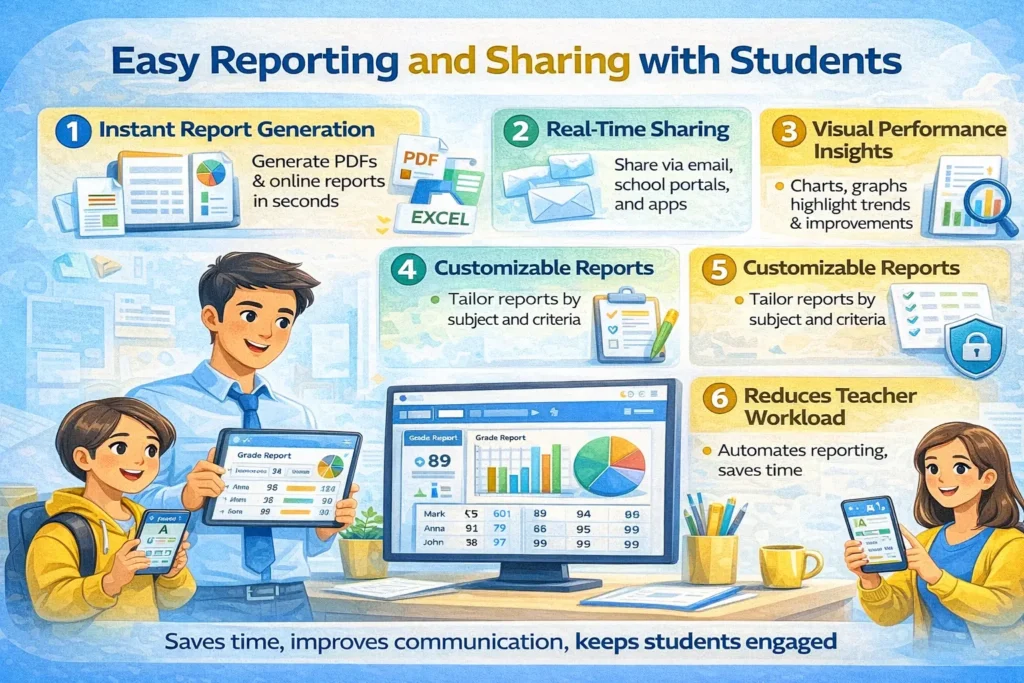
When it’s time to share final grades, grading calculators make it easy to generate reports and share them with students. Many tools allow you to generate detailed reports that you can email to students or print for easy distribution.
- Instant Reports: You can quickly generate a report of final grades, class averages, and individual student progress.
- Transparency: Students can see exactly how their grades were calculated, giving them more clarity about their performance.
Why It Works:
Grading calculators make it easier to share grade reports with students, improving communication and transparency.
Best Grading Calculators for Teachers
If you’re ready to start using a grading calculator, here are some of the top tools available:
- Google Sheets + Add-ons: Free and customizable for all types of grading, with add-ons like Flubaroo and Gradebook for automatic grading.
- GradeHub: A simple, user-friendly tool for weighted grades and rubrics.
- Quizizz: Great for grading quizzes and offering instant feedback to students.
- Gradescope: Ideal for rubric-based grading, especially for essays and projects.
(FAQs)
1. Are grading calculators free to use?
Many grading calculators offer free versions, such as Google Sheets or Quizizz. However, some tools may offer premium features for a subscription fee.
2. Can grading calculators handle weighted grades?
Yes, most grading calculators allow you to input weighted grades for different assignments (e.g., homework, exams) and will automatically calculate the final grade based on those weights.
3. How do grading calculators handle essays and subjective assignments?
Grading calculators that support rubric-based grading can be used to grade essays and projects, ensuring consistency in feedback and grading criteria.
4. Can I use grading calculators for large classes?
Absolutely! Grading calculators are ideal for large classes, as they can handle multiple students and assignments simultaneously, saving you time and reducing errors.
5. How do grading calculators help with feedback?
Grading calculators often include features like comment banks, rubric-based feedback, and automated comments, making it easier to provide consistent and detailed feedback to students.
Final Thoughts
Grading calculators are incredibly helpful tools that can save teachers valuable time, ensure consistency, and reduce the likelihood of errors. Whether you need help with weighted grades, rubrics, or class performance tracking, a grading calculator makes managing grades easier and more efficient.
By using a grading calculator, you can focus more on teaching and spend less time on manual grading tasks. It’s time


