

How to Save Time with a Quick Grading Calculator
As a teacher, grading is one of the most important yet time-consuming tasks. Quick Grade Whether you’re grading essays, quizzes, or projects, it often feels like there’s never enough time to get everything done. But what if you could save hours on grading without sacrificing quality?
Quick grading calculators are the answer! These tools are designed to simplify and speed up the grading process, so you can focus more on teaching and less on the math. Here’s how a quick grading calculator can help you save time and reduce stress.
1. Automate Calculations for Instant Results
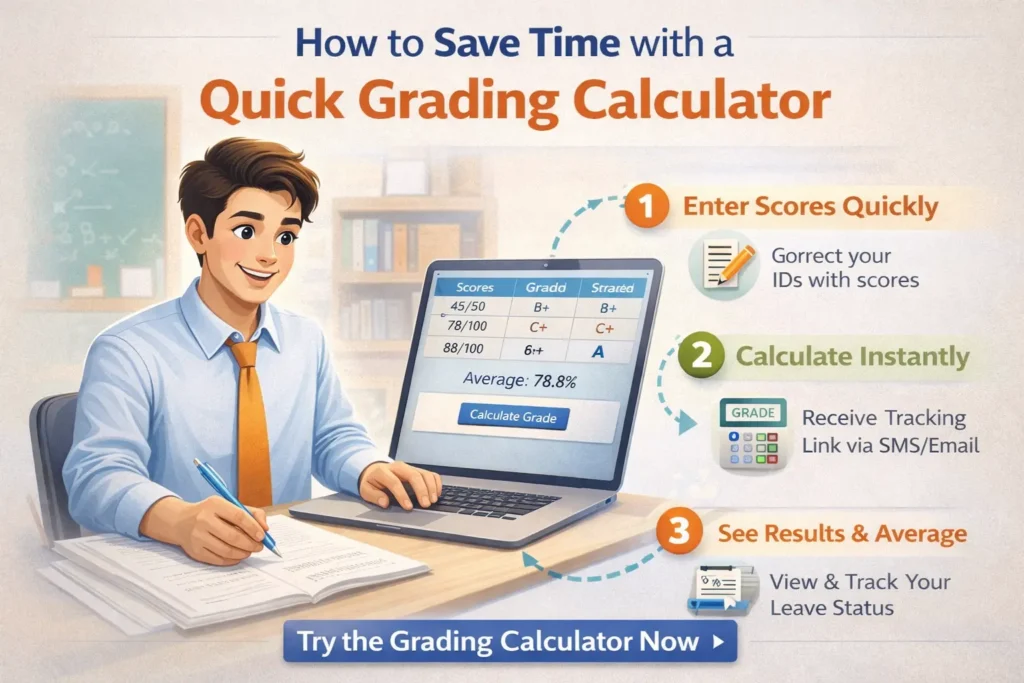
One of the most time-consuming parts of grading is calculating scores. Whether you’re working with percentages, weighted grades, or averages, doing the math by hand can take a lot of time. A quick grading calculator automates all these calculations, giving you instant results.
- How It Works:
You enter the student scores, and the calculator automatically computes the grade, including percentages and final scores, based on the grading system you’ve set. - Why It Saves Time:
Instead of manually adding up points or calculating percentages, the calculator does the work for you. This reduces the time spent on each student’s grade and ensures that everything is accurate.
Tip: Use a tool that allows you to upload bulk data or integrate with platforms like Google Classroom for even faster grade entry.
2. Handle Weighted Grades Automatically
Many classes use weighted grading systems, where assignments like homework, tests, and projects contribute different percentages to the final grade. Manually calculating these weighted grades can be tricky and time-consuming, especially if students complete a lot of assignments.
- How It Works:
A quick grading calculator lets you input weights for each assignment category (e.g., homework = 30%, exams = 50%, projects = 20%). The calculator will then automatically apply those weights when calculating each student’s grade. - Why It Saves Time:
You don’t have to manually multiply each student’s score by the weight and then add it all up. The calculator does this for you, saving you hours of work.
Tip: Double-check that your weightings add up to 100% to avoid any errors in final grades.YOU CAN ALSO READ: Grading Calculator for Google Classroom Integration 2026
3. Use Rubrics for Faster Grading of Essays and Projects
Grading essays and projects can be subjective and time-consuming, but rubric-based grading can make this process quicker and more efficient. Many quick grading calculators allow you to use rubrics to grade subjective assignments based on specific criteria. Easy Grader,
- How It Works:
You set up a rubric with categories (e.g., content, grammar, organization) and assign points for each category. The calculator will then automatically apply your rubric and give a grade based on the student’s performance in each area. - Why It Saves Time:
Instead of manually writing feedback for each student and calculating their score, the calculator helps you grade quickly and consistently based on predefined criteria.
Tip: Create comment banks for common feedback to further speed up the process.
4. Instant Feedback for Quizzes and Multiple-Choice Tests
If you’re grading quizzes or multiple-choice tests, you can save a lot of time with a grading calculator that provides instant feedback. Tools like Quizizz or Google Forms with Flubaroo can automatically grade student responses and give you detailed feedback with just a few clicks.
- How It Works:
After students complete their quiz or test, the grading calculator automatically grades their answers and provides feedback on correct and incorrect responses. - Why It Saves Time:
You don’t have to manually check each answer or calculate the final score. The calculator gives you instant results, allowing you to quickly share them with students.
Tip: Use auto-graded quizzes for smaller assignments to reduce the time spent on grading.
5. Track Student Progress Over Time
A quick grading calculator doesn’t just help with individual assignments — it also allows you to track student progress over time. Most tools provide class averages and show how each student is performing throughout the term.
- How It Works:
The calculator tracks all assignments and computes overall averages, so you can see how students are doing at any given time. - Why It Saves Time:
You can quickly spot trends in performance, so you can address areas where students are struggling without manually checking every grade or assignment.
Tip: Use progress reports to identify patterns in student performance and adjust your teaching approach accordingly.
6. Generate Reports and Share Results Instantly

After grading, you need to share results with students, parents, or administrators. Many quick grading calculators allow you to generate detailed reports with a single click. These reports can show final grades, class averages, and individual performance breakdowns.
- How It Works:
Once the grades are calculated, you can generate PDFs, spreadsheets, or even email reports to students or parents. - Why It Saves Time:
You don’t have to manually write out grades or explanations. The calculator can generate reports automatically and send them directly to students or keep them for your records.
Tip: Set up automatic email notifications for grades so students and parents receive their results without any extra work on your part.
Best Quick Grading Calculators for Teachers
Here are a few tools that can help you save time with quick, automated grading:
- Google Sheets with Add-ons (e.g., Flubaroo, Gradebook): Free and customizable, with easy integration for grading.
- GradeHub: A simple tool for weighted grades and rubrics.
- Quizizz: Perfect for quick quizzes with automatic grading and instant feedback.
- Gradescope: Ideal for rubric-based grading, especially for essays and projects.
(FAQs)
1. Are grading calculators free to use?
Yes, many grading calculators offer free versions with essential features. Some premium tools may require a subscription for advanced functionality.
2. Can grading calculators handle weighted grades?
Absolutely! Most grading calculators support weighted grading systems, where different assignment types contribute differently to the final grade.
3. Do grading calculators work for all types of assignments?
Yes, grading calculators can handle multiple-choice quizzes, essays, projects, and even subjective assignments using rubrics.
4. How do grading calculators help with feedback?
Grading calculators can automatically generate feedback for quizzes and tests and allow you to quickly add comments or use comment banks for essays and projects.
5. How do I ensure my grading is consistent with a grading calculator?
Set up clear rubrics and grading scales, and ensure your weightings are accurate. Grading calculators apply these rules consistently across all students.
Final Thoughts
A quick grading calculator is a must-have tool for teachers who want to save time, reduce stress, and provide accurate, consistent grades. By automating calculations, tracking progress, and offering instant feedback, these tools can significantly streamline your grading process and help you focus more on what matters — teaching your students.
Start using a quick grading calculator today and experience how much easier grading can be!


