

Grade Calculator for Google Classroom Teachers 2026
Managing grades can take up a lot of a teacher’s time. Between assignments, quizzes, projects, and participation scores, keeping track of everything isn’t always easy.Quick Grade That’s why many educators use a grade calculator alongside Google Classroom.
A grade calculator helps teachers quickly determine percentages, final grades, weighted averages, and overall student performance. In 2026, with more schools relying on digital learning tools, grade calculators have become a simple way to save time and reduce grading errors.
In this guide, you’ll learn how grade calculators work with Google Classroom, why teachers use them, and how to calculate grades accurately.
What Is a Grade Calculator?
A grade calculator is a tool that helps calculate student grades based on scores, points, percentages, or weighted categories.
Instead of manually adding scores and calculating averages, teachers enter the numbers and let the calculator do the work.
A grade calculator can help with:
- Assignment grades
- Quiz scores
- Test averages
- Weighted grading systems
- Semester grades
- Final course grades
For busy teachers, this means less time spent on calculations and more time focused on teaching.
Why Google Classroom Teachers Use Grade Calculators
Google Classroom already includes grading features, but many teachers still use separate grade calculators for planning and verification.
Here are a few reasons why:
Faster Grade Calculations
Teachers can instantly calculate grades before entering them into Google Classroom.
Check Accuracy
A calculator helps verify that grades are correct before they are shared with students.
Weighted Grade Support
Many schools use weighted categories such as:
- Homework: 20%
- Quizzes: 30%
- Tests: 40%
- Participation: 10%
A grade calculator makes these calculations much easier.
Grade Forecasting
Teachers can estimate future grades and see how upcoming assignments may affect student performance.You can also read: Easy Grader for Pass or Fail Classes 2026
How to Calculate Grades for Google Classroom
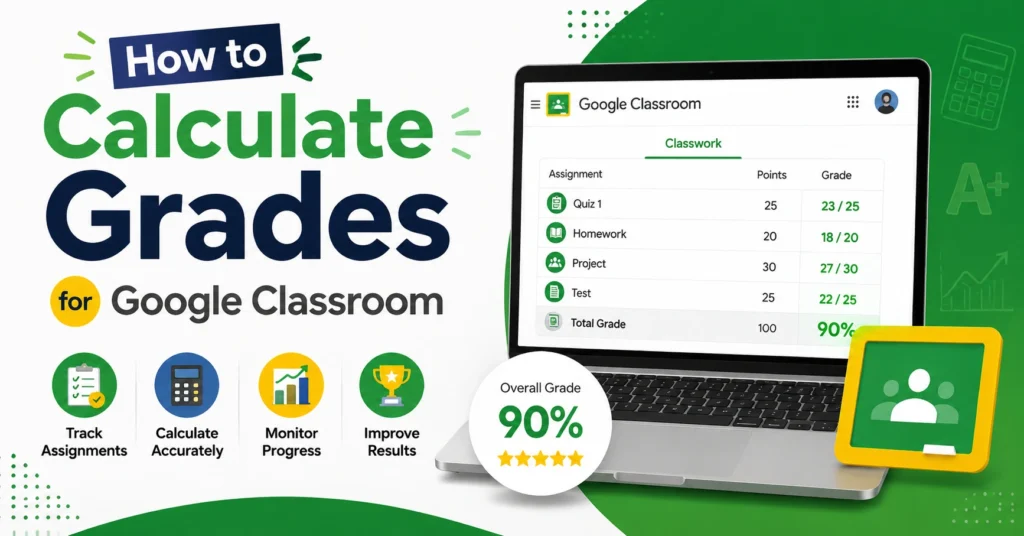
The process is simple.
Step 1: Add Total Points
Start with the total points possible for an assignment.
Example:
Assignment Points Possible = 100
Step 2: Enter Earned Points
Let’s say a student earned 88 points.
Student Score = 88
Step 3: Calculate the Percentage
Use this formula:
Percentage = (Earned Points ÷ Total Points) × 100
Example:
88 ÷ 100 × 100 = 88%
The student’s grade is 88%.
How to Calculate Weighted Grades
Many teachers use weighted grading systems.
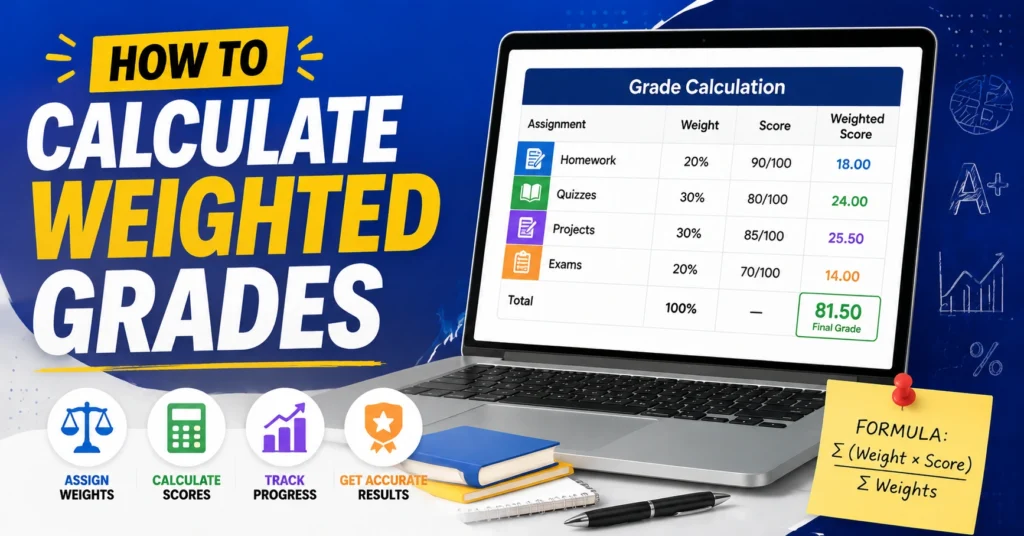
Let’s look at an example:
Homework Average = 90% (20%)
Quiz Average = 85% (30%)
Test Average = 92% (40%)
Participation = 100% (10%)
Calculation:
(90 × .20) + (85 × .30) + (92 × .40) + (100 × .10)
18 + 25.5 + 36.8 + 10
Final Grade = 90.3%
A grade calculator can perform this automatically in seconds.
Benefits of Using a Grade Calculator
Teachers who use grade calculators often notice several advantages.
Saves Time
No need to calculate percentages manually.
Reduces Errors
Automated calculations help avoid grading mistakes.
Supports Different Grading Systems
Whether your school uses percentages, points, standards-based grading, or weighted categories, a grade calculator can help.
Helps During Report Card Season
When grading dozens or hundreds of students, every minute saved matters.
Tips for Google Classroom Teachers
Keep Categories Organized
Create clear grading categories before calculating final grades.
Update Grades Regularly
Waiting until the end of the term can create unnecessary work.
Double-Check Weight Settings
A small mistake in weighting can affect final grades.
Track Missing Assignments
Missing work can significantly change averages, so review incomplete submissions frequently.
Use Consistent Grading Policies
Students appreciate fairness and consistency across assignments.
Common Grade Calculation Mistakes
Teachers sometimes run into these problems:
- Forgetting assignment weights
- Entering incorrect point values
- Mixing percentages with points
- Excluding missing assignments
- Using outdated grading scales
Checking calculations before publishing grades helps prevent confusion later.
Can Grade Calculators Improve Grading Accuracy?
Yes.
A grade calculator removes most manual math and reduces the chance of human error. Teachers can focus on evaluating student work instead of spending time calculating percentages.
Many educators use calculators as a second check even when Google Classroom calculates grades automatically.
Frequently Asked Questions
Can I use a grade calculator with Google Classroom?
Yes. Many teachers use grade calculators to verify grades before entering or reviewing them in Google Classroom.
Are grade calculators accurate?
Yes. When scores and weights are entered correctly, grade calculators provide accurate results.
Can a grade calculator handle weighted categories?
Absolutely. Most modern grade calculators support weighted grading systems.
Do grade calculators save time?
Yes. They can calculate percentages, averages, and final grades much faster than doing the math manually.
Should teachers still check calculations?
Yes. Even with automated tools, it’s always a good idea to review grades before publishing them.
Final Words
A Grade Calculator for Google Classroom Teachers in 2026 is one of the simplest tools educators can use to save time and improve grading accuracy. Whether you’re calculating assignment percentages, weighted grades, or final averages, a grade calculator makes the process faster and easier.
The best approach is to combine the organizational features of Google Classroom with a reliable grade calculator. This helps ensure grades are accurate, fair, and easy to manage throughout the school year.
By staying organized, checking calculations, and using the right grading tools, teachers can spend less time on paperwork and more time helping students succeed.


