

How to Calculate Grades in Minutes Using Grading Calculators
Calculating grades doesn’t have to be hard or slow. Whether you’re a teacher trying to save time or a student checking where you stand, Quick Grade, a grading calculator can do most of the work for you. These tools help you figure out your current grade fast and show what you might need on future tests to reach your goals.
In this guide I’ll show you how grading calculators work and how you can use them in minutes.
What Is a Grading Calculator?
A grading calculator is an online tool that figures out your course grade quickly. You just enter your scores and the weight of each assignment, and the calculator does the math for you. Some calculators also tell you what you need to score on your final exam to hit your desired grade.
Most tools work with:
- Percentage grades
- Letter grades
- Points systems
They convert your scores into a final grade using weighted averages or simple totals.ou can also read: How to Quickly Grade Essays with Grading Tools 2026
Step‑by‑Step: Calculate Your Grades in Minutes
Here’s how to use a grading calculator without fuss:
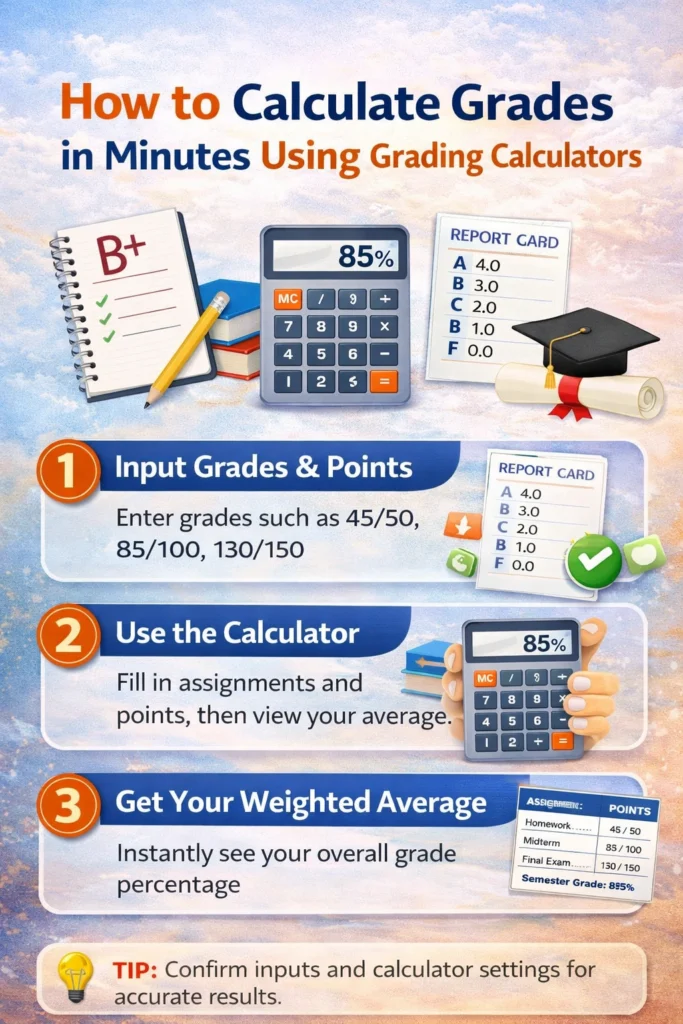
1. Enter Your Scores
Start by typing each assignment, quiz, or test score you have. You can enter them as percentages, points, or letter grades depending on the tool you use.
2. Add the Weight of Each Item
Some classes give different importance to different tasks. For example, homework might be worth 20% while exams are 40%. Enter these weights so your calculator can correctly measure your final grade.
3. Click Calculate
Once you fill in all your scores and weights, hit calculate. The tool will quickly show your current grade. Most calculators give you:
- Your current percentage
- Letter grade
- What you need to score on future work to reach your goal grade
4. Look at the Results
In seconds you’ll see your grade. Some tools also let you test “what if” scenarios — like what happens if you score 80 on the final.
Tips to Get the Most Out of Grade Calculators
- Use the correct grading scale – A calculator won’t know your class rules unless you enter weights the right way.
- Check multiple tools – Some calculators offer more options, like what you need on finals or extra credit.
- Save your results – Screenshot your grade results so you can plan your study time better.
Calculators are especially great for:
- Planning study time
- Staying motivated by knowing exactly where you stand
- Avoiding surprises on final report cards
Why Students and Teachers Love Grading Calculators
For Students:
They help you see how your performance stacks up and what you need to reach your goal. You can calculate your grade multiple times as new scores come in.
For Teachers:
Calculators save time. Instead of doing math by hand for each student, you can enter numbers once, and it’s done. This makes grading more consistent, especially with weighted categories.
(FAQs)
1. What’s the difference between weighted and unweighted grade calculators?
A weighted calculator gives different values to assignments based on importance. For example, exams might count more than homework. An unweighted calculator treats all points the same.
2. Can I calculate my grade without a grading scale?
Yes, you can use basic points total (earned ÷ possible). But for accurate results in most classes, use the grading scale that your teacher gave you.
3. Do grading calculators work on phones?
Most online calculators work on phones and tablets because they are browser‑based. You can check grades anywhere you have internet access.
4. Can grading calculators predict what I need on a final exam?
Yes. Many calculators have features that show what score you need on your final or remaining work to reach a target grade.
5. Are these tools free?
Most grading calculators you’ll find online are completely free to use. No downloads or subscriptions needed for basic grade calculations.
Final Thoughts
Grading calculators are one of the easiest ways to take the guesswork out of grade calculations. You don’t need to be great at math — just enter your scores and weights and let the tool do the rest.
These tools help you stay organized, plan ahead, and cut down the stress of grade tracking. Next time you want to know where you stand in a class, just fire up a calculator and find out in minutes.


