

Grading Calculator That Handles Extra Credit & Penalties
Grading isn’t always straightforward. Sometimes students earn extra credit or need penalties applied for late work or mistakes. Quick Grade A grading calculator that can handle these situations makes scoring fast, accurate, and stress-free for teachers.
What Makes This Calculator Special?
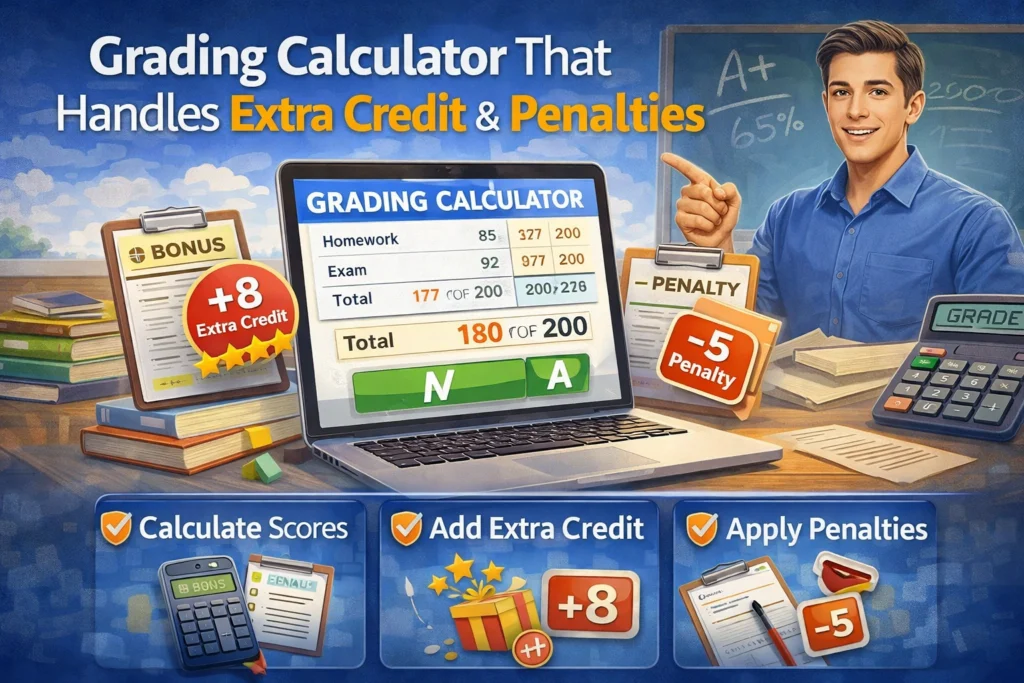
Unlike a basic grading tool, a calculator that handles extra credit and penalties lets you:
- Add bonus points for extra credit assignments
- Deduct points for late submissions or rule violations
- Adjust scores without recalculating everything manually
- Maintain accuracy and fairness across all students
Why Extra Credit and Penalties Matter
Including extra credit encourages students to go above and beyond. Penalties ensure rules are followed and grading is fair. A calculator that accounts for both saves teachers from juggling multiple spreadsheets or manual calculations.You can also read: Streamline Grading with These Simple Calculator Tips
How to Use a Grading Calculator With Extra Credit
- Enter the total points for the assignment.
- Enter the student’s earned points.
- Add any extra credit points.
- Apply penalties if necessary.
- Calculate the final grade instantly.
This eliminates mistakes and ensures every adjustment is accounted for automatically.
How to Handle Different Assignment Types
- Quizzes and Tests – Include extra credit questions or deduct points for missed requirements.
- Projects and Essays – Add bonus points for exceptional work, creativity, or effort.
- Participation – Apply penalties for missed deadlines or unsubmitted work.
Benefits of Using This Type of Calculator
- Saves time – no need for manual math adjustments
- Reduces errors – ensures every student’s final grade is correct
- Keeps grading consistent – all adjustments follow your rules
- Flexible – works for any subject, grade level, or class size
Key Features to Look For
- Batch grading for multiple students at once
- Customizable extra credit and penalty options
- Exportable results to spreadsheets or LMS
- Mobile-friendly access for grading anywhere
Tips for Smooth Grading With Extra Credit and Penalties
- Plan ahead for extra credit opportunities in your syllabus
- Standardize penalties to ensure fairness
- Double-check entries before calculating final grades
- Combine with rubrics for subjective assignments
Common Mistakes to Avoid
- Forgetting to include extra credit opportunities
- Applying penalties inconsistently
- Miscalculating totals without a reliable calculator
- Overlooking batch grading or export options
How to Track Extra Credit and Penalties Over Time
Use your grading calculator to log all extra credit and penalties for each student. This helps track trends, identify high achievers, and ensure penalties are applied fairly throughout the semester.
Integrating With Your LMS
Many grading calculators can sync with Learning Management Systems like Google Classroom or Canvas. Integration lets you automatically update grades, including extra credit and penalties, without manual entry.
Customizing Rules for Your Class
You can set rules in the calculator to handle different scenarios, such as bonus assignments, participation points, late submission penalties, or resubmission opportunities. This ensures grading stays consistent and transparent.
Using Analytics to Improve Teaching
Calculators that track extra credit and penalties can provide insights on student performance. You can see which assignments motivated extra effort or which areas caused most penalties, helping you plan better lessons.
FAQs About Grading Calculators With Extra Credit
1. Can I include extra credit and penalties in one calculation?
Yes, modern calculators let you apply both at the same time.
2. Will it work for large classes?
Absolutely. Batch grading features make it easy to apply adjustments for many students at once.
3. Do I need special software?
No. Many online calculators support extra credit and penalties directly in your browser.
4. Can I edit grades after calculating?
Yes, you can adjust points, extra credit, or penalties at any time.
5. Does this replace teacher judgment?
No. Teachers still need to review subjective work and ensure adjustments are fair.
Final Words
A grading calculator that handles extra credit and penalties is a real game changer. It keeps grading fair, accurate, and consistent while reducing stress. With this type of tool, you can reward extra effort, enforce rules, and finish grading faster — all without the headache of manual calculations.


