

How to Quickly Generate Grade Reports with a Calculator
If you want to quickly generate grade reports with a calculator, the fastest method is simple: enter your subjects or assignments, add scores and weights, let the calculator total everything automatically, then export or print the results. The best tools now usually support weighted and unweighted averages, GPA or letter grades, target scores, and downloadable report files, which makes the whole process much faster than doing the math by hand. Quick Grade,
This works well for students, teachers, tutors, and even parents. Instead of using separate notes, spreadsheets, and manual calculations, one calculator can organize the marks and turn them into a clean report in minutes. Some tools even add charts, PDF export, and student details like name, class, and term.

Start with the right calculator
The first step is choosing a calculator that does more than basic math. A simple average tool may help with rough grades, but it is not enough if you want a real report. Current tools that rank for this topic often support weighted grades, multiple input types, and report-style export options. Some accept percentages, points, and letter grades, while others also include GPA estimates and downloadable reports.
A good calculator should also be easy to use on both desktop and mobile. Google’s Search Central guidance says page experience matters as part of overall search success, so fast, clear, mobile-friendly tools have an advantage for users and site owners alike.
Add student and term details first
If you want your grade report to look clean and useful, begin with the basic details. Enter the student name, class, term, school year, or roll number before you add scores. Many report-style calculators now include these fields because they make the final report easier to read and share.
This may seem like a small step, but it saves time later. Once the report is generated, everything already looks organized. You do not have to go back and edit the file by hand just to add names or labels.You can also read: Grading Calculator vs. Manual Grading: Time Savings
Enter subjects, assignments, and scores
Next, list each subject or assignment. Then add the score earned and the maximum score possible. This is the part where the calculator starts doing the heavy work for you. Instead of manually finding percentages for every subject, the tool handles that in seconds.
Some calculators let you add unlimited rows or subjects, which is helpful if you are creating reports for full semesters or multi-part projects. Others include options for bonus points, assignment labels, or course sections, which makes the report more detailed without making the process harder.
Use weights if your grading system is not equal
This is one of the biggest time-saving tips. If your class uses weighted grading, enter the weight or credit for each subject or assignment right away. That allows the calculator to produce a correct final average without extra manual work. Weighted grading is common in many current tools because not every subject counts the same.
For example, a final exam may be worth more than homework, or a core subject may carry more credits than an elective. If you skip the weights, your report may look neat but still be wrong. A calculator with weighted inputs fixes that problem quickly.
Let the calculator generate the totals automatically
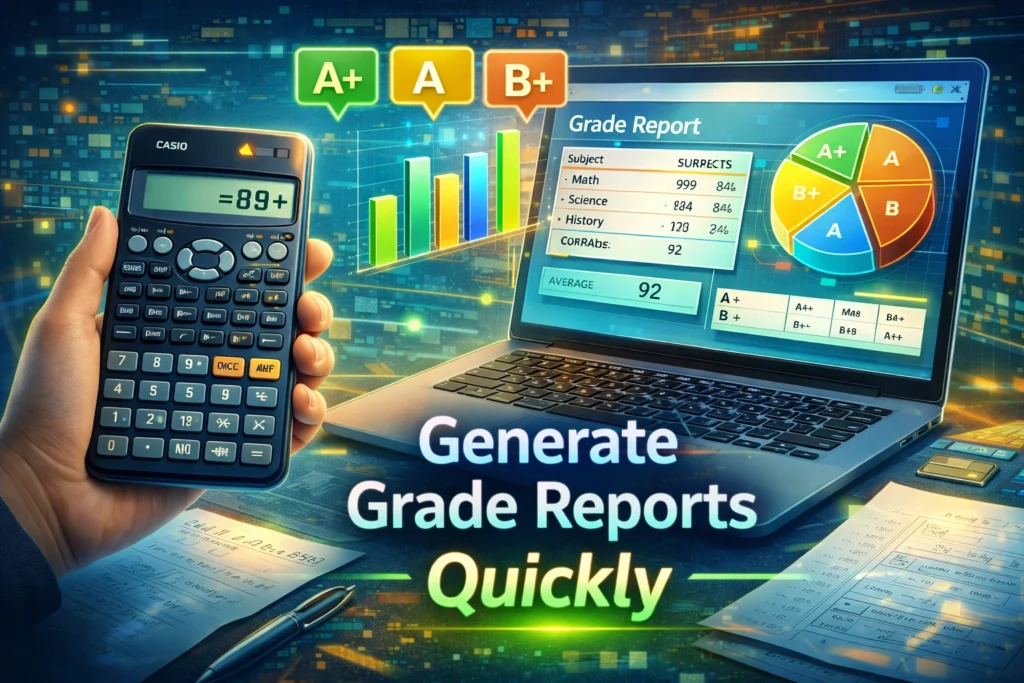
Once the scores and weights are entered, click calculate. This is the point where a good tool gives you the full picture at once. Strong report calculators can show weighted average, unweighted average, total points percentage, letter grade, and sometimes GPA estimate too.
That is what makes the process fast. You are not just getting one number. You are getting a report-ready summary that can be used for review, sharing, or printing. Some calculators also let you test target scores, which helps users see what they need next to hit a desired result.
Add comments or notes if the tool allows it
A grade report becomes more useful when it includes short comments. This is especially important for teachers and tutors. A number tells part of the story, but a quick note like “strong in classwork” or “needs support in math” makes the report more helpful. Report card builders and makers often support extra text fields or customizable layouts for this reason.
Keep the notes short and clear. One or two simple lines are enough. The goal is to explain performance without turning the report into a long document.
Export the report as PDF, CSV, or print view
This is where the time savings really show. Modern grade calculators and report builders often let users print the result or download it as a PDF, and some also support CSV or Excel export. That means you can go from raw marks to a shareable report in one quick flow.
PDF is usually the best choice if you want a clean report for parents, students, or school records. CSV or Excel is better if you want to keep editing the data later. Pick the format that matches your next step.
Use templates when speed matters most
If your goal is pure speed, use a report template. Tools like Jotform and Canva emphasize ready-made templates because they reduce setup time. Instead of building the report layout from scratch, you fill in the information and adjust the design only if needed.
Templates are especially useful for schools, coaching centers, and tutors who create reports again and again. Once you have one clean format, each new report takes much less time.
Double-check the settings before sharing
Before you download or print the report, do one quick review. Check the grade format, decimal places, included subjects, and weights. Some tools also let you cap percentages at 100%, include bonus points, or exclude a subject from the average, so make sure the settings match your real grading rules.
This only takes a minute, but it can prevent mistakes. A fast report is helpful only when it is also accurate.
Why calculators are faster than manual grade reports
Manual grade reporting usually means switching between notes, formulas, and formatting. A calculator speeds things up because it combines the main jobs in one place: score input, percentage calculation, weighted average, and export. That is why many current tools advertise instant calculation, PDF reports, and built-in analysis as their main benefits.
It also reduces human error. When the formulas are built in, you spend less time checking every number and more time reviewing the results.
Quick tips to generate grade reports faster
Use a calculator that supports weights, GPA, and export in one screen. Save one clean template and reuse it. Add student details first so the file is ready to share. Double-check credits and bonus points before clicking calculate. Export as PDF when you want a polished final copy. These habits match the way current report and grade tools are built to save time.
FAQ
Can I generate a grade report without using Excel?
Yes. Many current grade calculators and report card tools let you enter scores directly online and then export or print the final report without using Excel.
What is the best format for sharing a grade report?
PDF is usually the best format for sharing because it keeps the layout clean and is easy to print or send. Some tools also offer CSV or Excel export for editing later.
Do I need a weighted calculator for grade reports?
You do if your class uses credits or category percentages. Weighted inputs help the final report match the real grading system.
Can a calculator include GPA and letter grades too?
Yes. Several current tools support percentages, letter grades, and GPA estimates in the same workflow.
Are templates useful for faster grade reports?
Yes. Ready-made templates can speed up the process because you do not need to design the report from scratch each time.
Conclusion
The quickest way to generate grade reports with a calculator is to use a tool that lets you enter subjects, scores, and weights, then calculates the totals and exports the report for you. The best calculators keep everything simple: they organize student details, handle weighted averages, show the final result clearly, and let you print or download the report in just a few clicks. That saves time, cuts down mistakes, and makes the whole grading process much easier.


