

How Grading Calculators Make Scoring Easier for Teachers
As a teacher, grading can often feel like a never-ending task. Between lesson planning, classroom management, and supporting students, it’s easy to get overwhelmed by the sheer volume of assignments you need to grade.Quick Grade But what if you could make grading easier, faster, and more efficient?
Enter grading calculators. These tools are designed to help you score assignments quickly and accurately, reducing the stress of grading while ensuring fairness and consistency. Let’s dive into how grading calculators can make scoring easier for teachers.
1. Automatic Calculation of Grades
One of the biggest time-savers in grading is the ability to automatically calculate grades. Instead of manually adding up points or calculating percentages for each student, a grading calculator does all the math for you.
- Multiple-choice tests: Simply input the number of correct answers, and the calculator automatically converts the raw score into a percentage.
- Assignments with weighted grades: You can enter scores for various categories (e.g., homework, quizzes, projects) and assign different weights to each. The calculator then calculates the final grade based on these weights.
Why It’s Easier:
You save time and reduce the risk of errors by letting the calculator handle all the math. What used to take you hours can now be done in minutes.
2. Streamlined Grading for Multiple-Choice Tests
For multiple-choice tests, grading can be especially tedious. But with grading calculators, this task becomes almost effortless. Many tools allow you to enter the correct answers and let the calculator automatically grade all student submissions.
- Scantron-like systems: Some grading tools let you scan or upload answers to grade multiple-choice tests quickly.
- Instant Feedback: You can even offer instant feedback to students, showing them which answers were correct and where they went wrong.
Why It’s Easier:
You don’t have to manually check each answer, making it much faster and more consistent, especially for large classes.YOU CAN ALSO READ:Is a Grading Calculator Better Than Spreadsheets?
3. Consistent Grading Across Assignments
When grading essays, projects, or assignments that require a rubric, consistency can sometimes be challenging. Grading calculators with rubric-based grading ensure that you evaluate each student on the same criteria, every time.
- Customizable Rubrics: Set up rubrics based on your grading criteria (e.g., content, grammar, structure). The calculator then applies the rubric consistently to all student submissions.
- Reduced Bias: With rubrics in place, you avoid the risk of overlooking important elements or unintentionally grading based on personal bias.
Why It’s Easier:
Grading calculators help you stay consistent and objective, so each student is evaluated according to the same standards.
4. Bulk Grading Made Simple
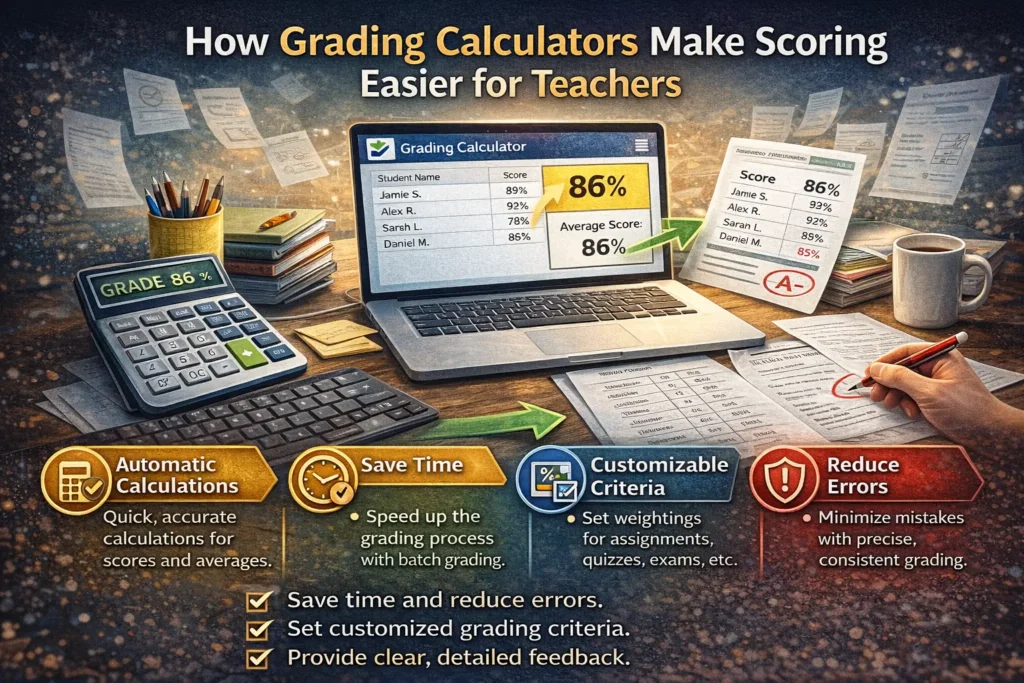
For teachers with large classes, grading can feel like an overwhelming task, but grading calculators can help with bulk grading. Some tools allow you to upload multiple assignments or tests at once, grading all of them in one go.
- Batch Grading: You can input multiple scores at once or upload CSV files of student responses, and the calculator will grade everything for you.
- Automated Results: Once graded, the results are automatically updated in the gradebook or exported for you.
Why It’s Easier:
You avoid spending hours entering data for each student individually. Bulk grading tools can process everything in one go, freeing up your time for more important tasks.
5. Track and Analyze Student Progress
Grading calculators are not just about assigning scores — they can also help you track student progress. Most modern grading tools offer built-in analytics, showing you class averages, performance trends, and areas where students are struggling.
- Class Averages: Easily see how your class is performing as a whole, helping you identify trends or areas that need more focus.
- Individual Progress: Track each student’s progress over time, so you can provide targeted support for those who need it.
Why It’s Easier:
Instead of manually calculating class averages or trying to track individual progress, grading calculators do this for you. You can quickly assess which students need additional help and adjust your teaching accordingly.
6. Provide Instant Feedback
Feedback is a crucial part of grading, but it’s also time-consuming. Grading calculators can help streamline the feedback process, especially if you use tools that allow you to create feedback templates or comment banks.
- Pre-Written Comments: Many tools allow you to save commonly used feedback (e.g., “Great job on your thesis statement” or “Needs improvement on clarity”), which you can easily insert into students’ grades.
- Instant Feedback: Some tools even let you provide instant feedback alongside the grade, so students know exactly what they did well and where they can improve.
Why It’s Easier:
You don’t have to write the same comments over and over again. Instead, you can offer helpful, consistent feedback in a fraction of the time.
Best Grading Calculators for Teachers
Here are a few of the best free grading calculators that can help teachers save time and effort:
- Google Sheets with Add-ons: Use Google Sheets with add-ons like Gradebook or Flubaroo to quickly calculate grades and track student performance.
- GradeHub: A simple tool for creating custom rubrics and grading assignments with ease.
- Quizizz: Great for grading quizzes and offering instant feedback to students.
- Google Forms: Automatically grades multiple-choice tests and provides analytics.
(FAQs)
1. Can grading calculators handle all types of assignments?
Grading calculators are ideal for assignments with clear scoring systems, like multiple-choice tests, quizzes, and rubric-based essays. For subjective assignments like creative writing, calculators can assist with grading technical aspects but not content.
2. Are there any free grading calculators?
Yes, many free tools are available, including Google Sheets, Quizizz, and GradeHub. These tools provide essential grading features without the need for paid subscriptions.
3. Can grading calculators handle weighted grades?
Absolutely! Many grading calculators allow you to set weights for different assignments, such as homework, exams, or projects, and will calculate the final grade accordingly.
4. Are grading calculators easy to use?
Most grading calculators are user-friendly and designed to be intuitive. If you’re already familiar with tools like Google Sheets or Google Classroom, using a grading calculator will be a smooth process.
5. Do grading calculators save time?
Yes! By automating calculations, grading calculators save you hours of manual work, allowing you to focus on other aspects of teaching, like providing meaningful feedback and engaging with students.
Final Thoughts
Grading doesn’t have to be a stressful and time-consuming task. With grading calculators, you can save time, reduce errors, and stay organized. These tools help you quickly grade assignments, provide consistent feedback, and track student progress — all in one place.
Start using a grading calculator today to make scoring easier and more efficient, and spend more time doing what you love: teaching!


