

Grading Calculator vs. Manual Grading: Time Savings
If your main goal is speed, a grading calculator usually saves more time than manual grading. A calculator can total points, handle weighted categories,Quick Grade, convert grades, and even show the score needed on future work in a few clicks. Manual grading can still work, but it takes longer because you have to do each step yourself.
That does not mean manual grading has no value. It is still useful when a teacher wants to review special cases, leave personal feedback, or check work that needs human judgment. But for pure number work, calculators are usually the faster option.
Direct answer
A grading calculator saves time because it does the repeated math for you. Instead of adding scores by hand, checking weights, converting percentages, and double-checking the final result, you enter the numbers once and get the answer right away. Tools like Calculator.net and Google Classroom both highlight automatic grade calculation, weighted grading, and overall grade tracking as core features.
Why manual grading takes longer
Manual grading often means more than just checking answers. You may need to add points, divide totals, apply weights, convert the result into a letter grade, and then check the math again to avoid mistakes. If there are many students or many assignments, the same process repeats over and over. That is where time starts to disappear. This is also why so many current grading tools are built around automatic weighted averages and overall grade summaries.
Another problem with manual grading is that small mistakes can slow everything down. If one weight is entered wrong or one score is added incorrectly, you may need to review the whole set again. A calculator reduces that kind of repeated work because the formula stays the same once the inputs are correct.You can also read: What Features Make a Grading Calculator Effective?
Why a grading calculator is faster
A grading calculator is faster because it handles the math instantly. Many current tools accept numerical grades, letter grades, weighted categories, and target-grade planning in one place. That means you can enter the data once and get the result without moving between notes, paper, and a separate formula sheet.
Google Classroom shows the same basic idea in a more classroom-style setup. Its grading system can calculate overall grades for you using total points or weighted categories, which is exactly the kind of task that takes longer when done by hand.
Where the time savings show up most
The biggest time savings usually happen in four places:
1. Weighted grading
Weighted grading is one of the slowest parts of manual grading because each category matters differently. A calculator handles that automatically once the weights are entered. Current grade calculator pages make this a main feature for a reason.
2. Large classes or many assignments
The more grades you manage, the more time manual grading eats up. Repeating the same math across many students is where calculators become much more useful. Google Classroom’s grading setup is designed around this kind of repeated classroom work.
3. Final grade planning
Many calculators can show what score is needed on the final exam or remaining work to reach a target grade. That is much faster than solving the same problem by hand each time.
4. Grade conversion
Changing raw scores into percentages, letter grades, or GPA-style results takes extra steps when done manually. Many calculators already support those formats, so the result is ready much faster.
Where manual grading still helps
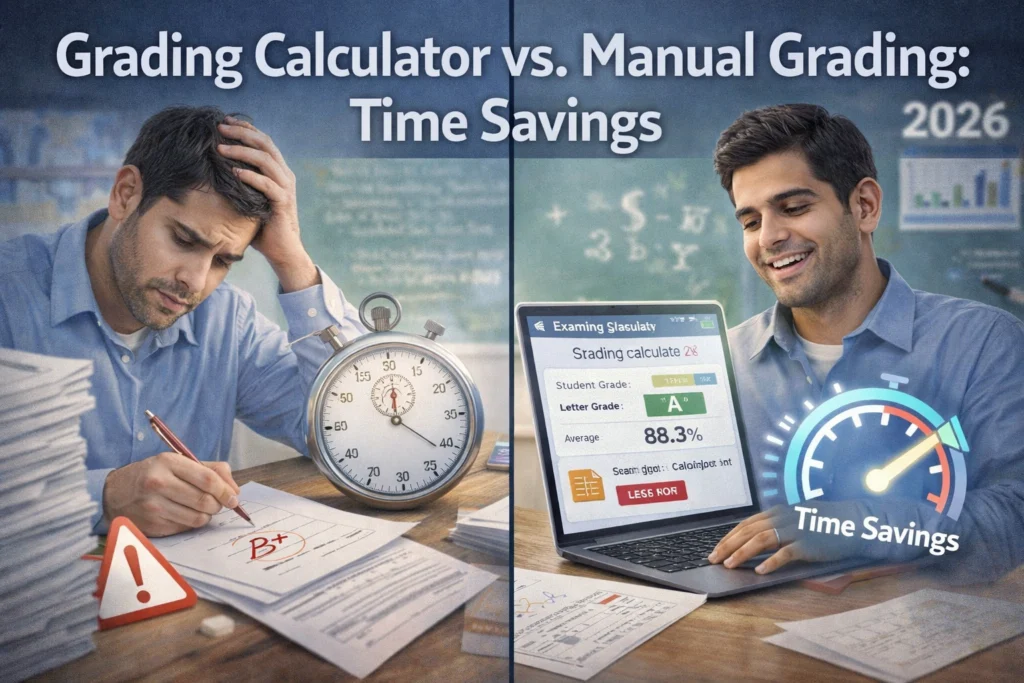
Manual grading still has a place when the work is not only about numbers. Essays, open-ended answers, class participation, and personal comments still need human judgment. A calculator can save time on totals and averages, but it cannot fully replace a teacher’s review in those cases. Even tools built for report cards and comments focus on helping teachers move faster, not removing the teacher from the process completely.
So the real win is not “calculator or teacher.” It is using the calculator for the repeated math and using manual review where human thinking matters most. That gives you speed without losing quality. This is an inference based on the kinds of tasks current grading and report tools automate versus the tasks they still ask teachers to review.
Which one is better for teachers?
For teachers, a grading calculator is usually better for speed. It helps with totals, weights, overall grades, and quick checks. Manual grading is better for feedback, special cases, and judgment calls. Google Classroom itself supports calculated grading systems, and current report-card tools market themselves mainly around saving teachers time on repetitive grading work.
That means the best setup is often a mix of both. Use a calculator to handle the numbers fast. Then use your own review for comments, fairness checks, and final decisions where needed.
Which one is better for students?
For students, a grading calculator is usually the better choice when the goal is to check progress quickly. It helps answer simple but important questions like: What is my current grade? What do I need on the final? How much does this assignment affect my course average? Those are exactly the features many current calculators focus on.
Manual grading can still help a student understand the logic behind the numbers, especially when learning how weighted averages work. But if the goal is speed, the calculator wins almost every time.
Quick comparison
A grading calculator is usually better for speed, repeated math, weighted categories, grade conversions, and goal tracking. Manual grading is better for detailed review, custom comments, and work that needs human judgment. That is why modern grading tools focus on automatic calculation first, while teacher-facing tools often add comment writing and report support as separate features.
Simple tips to save more time
Use a calculator that supports weighted grades, not just simple averages. Enter categories clearly the first time so you do not need to fix them later. Use manual grading only for parts that truly need personal review. If you teach, combine calculated grades with short custom feedback instead of doing every step by hand. These tips match the way current calculator and classroom grading systems are designed to work.
FAQ
Does a grading calculator really save time?
Yes. Current calculator tools are built to handle weighted averages, letter grades, and target-grade planning automatically, which removes several manual steps.
Is manual grading more accurate?
Not always. Manual grading can be accurate, but it also leaves more room for math mistakes when scores, weights, and conversions are done by hand. Calculators reduce that repeated calculation work when the inputs are correct.
When should teachers still grade manually?
Teachers should still grade manually when work needs personal judgment, such as essays, behavior notes, or detailed feedback.
Are grading calculators useful for students too?
Yes. They help students quickly check current grades, weighted averages, and what score they need on future work.
What is the best approach overall?
Usually, the best approach is to use a calculator for the math and manual review for feedback and special cases. That gives you both speed and control. This is an inference drawn from how current grading and report tools split automated calculation from teacher-written feedback.
Conclusion
So, grading calculator vs. manual grading: which saves more time? In most cases, the grading calculator does. It cuts down repeated math, handles weighted scores faster, reduces checking time, and gives quick answers for current grades and target scores. Manual grading still matters for thoughtful feedback and judgment, but when it comes to speed, calculators are the clear winner.


