

Teacher Grader for Custom Letter Cutoffs: Simple Guide
As a teacher, one of the hardest parts of grading is turning scores into letter grades (A, B, C, etc.). A Teacher Grader tool that lets you set custom letter cutoffs makes this super easy — no guesswork, no math mistakes, and way less time spent.Quick Grade
What Is a Teacher Grader with Custom Letter Cutoffs?
A Teacher Grader is a tool that helps you turn test or quiz scores into percentage grades and letter grades in seconds. You enter:
- Total questions (or total points)
- Correct answers (or wrong answers)
- Your custom grading scale (how many % equals an A, B, C, etc.)
… and the grader does the rest. It’s like having a digital version of your old grading chart — but faster and smarter.You can also read: Easy Grader for Fast Parent Conference Prep (Simple Guide)
Why Custom Letter Cutoffs Matter
Every school, class, or teacher can have different standards. For example:
- One teacher might want 90%+ = A
- Another might want 85%+ = A
With custom letter cutoffs, you can put in your own rules, so the grade matches your school’s policy or your own class goals.
How It Works — Simple Steps
Here’s how you use a teacher grader tool with custom cutoffs:
- Enter the total points/questions
- Type the number of correct answers (or wrong answers)
- Set your letter grade cutoffs (example: A = 90%+, B = 80%+)
- The tool instantly shows the percentage and final letter grade
No formulas. No calculators. Just type and see results instantly.
Example — Let’s Make It Real
Say a student scored 82 out of 100. If your custom cutoffs are:
- 90%+ = A
- 80%+ = B
- 70%+ = C
Then the tool will tell you: 82% = B. Done! You don’t have to manually check charts or do math.
How to Set Custom Letter Grade Cutoffs for Your Class
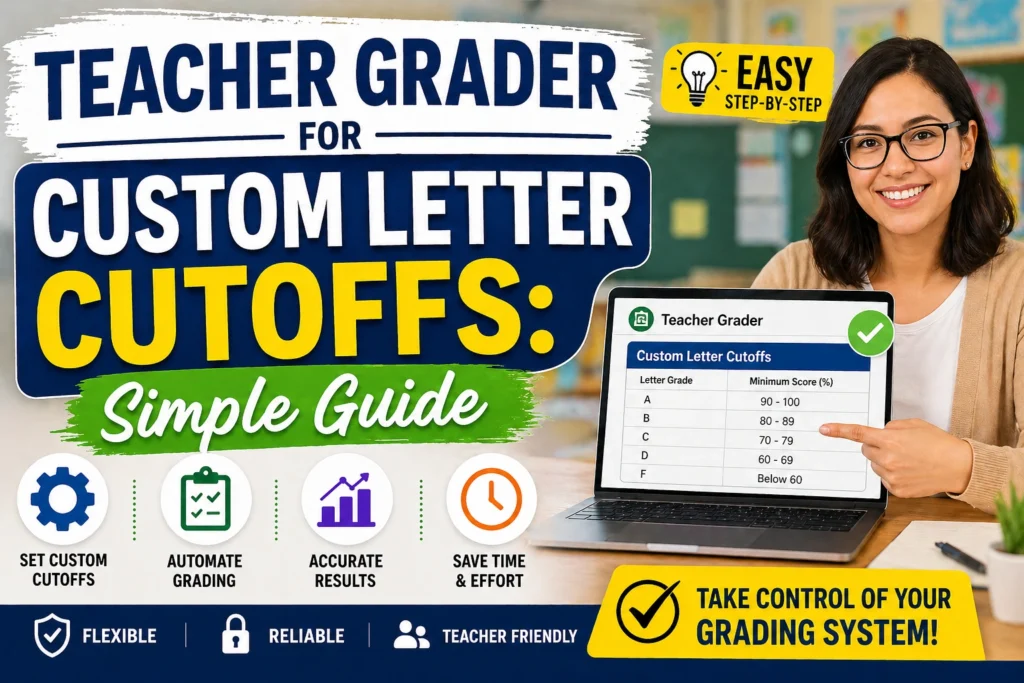
Setting custom letter grade cutoffs is super easy with a teacher grader. Start by deciding what percentage corresponds to each letter grade (A, B, C, etc.). For example, you could set:
- A = 90%+
- B = 80%+
- C = 70%+
- D = 60%+
- F = Below 60%
Once you’ve got your percentages, input them into your grader tool, and you’re all set! If you’re working with a different grading system, like a weighted scale, you can adjust the cutoffs to match your class’s requirements.
Benefits of Using a Teacher Grader Tool with Custom Cutoffs
Using a teacher grader tool with custom letter cutoffs offers numerous benefits for educators:
- Saves Time: No need to manually calculate grades or look up conversion charts.
- Increases Accuracy: Automated systems reduce the chance of human error.
- Customizable: You can tailor the grading system to your specific classroom needs.
- Instant Results: Get immediate feedback for your students.
- Consistency: No more guessing or inconsistencies across different grading periods.
With these benefits, it’s clear that using a teacher grader tool not only simplifies grading but also makes it faster and more reliable.
FAQs
Q: Can I change the cutoffs anytime?
Yes! A good teacher grader lets you edit cutoffs before or after grading.
Q: Does it work for any number of questions?
Absolutely — it works for quizzes, homework, or big exams.
Q: Why use custom cutoffs instead of standard ones?
Custom cutoffs let you match your school’s policy or account for harder/easier tests.
Q: What if my grading system is different (e.g., weighted grades)?
Many teacher grader tools allow you to customize weighting for each section (homework, exams, etc.), so you can set it up exactly how you grade.
Q: Is it accurate for large classes?
Yes! It saves you hours by automating grading. Even with 100+ students, you can grade quickly and consistently.
Final Thoughts
If grading makes your evenings longer than your teaching day, a Teacher Grader for Custom Letter Cutoffs can change everything. It gives you accuracy, consistency, and less stress — while helping students understand how their grades are determined.
Try it once — and you’ll never want to go back to manual grading again!


