
Reduce Teacher Workload with a Grade Tool (2026 Guide)
A grade tool reduces teacher workload by automating grading, calculating scores instantly, and storing student results in one place. It saves time, reduces errors, Quick Grade, and makes exam checking much faster and easier.
Why Teacher Workload Is Increasing
Teaching today is not just about lessons. Teachers also handle:
With larger classes and digital learning, grading work has become heavy and time-consuming.
That’s where a grade tool helps.You can also read: Easy Exam Scoring System for Schools (2026 Guide)
What Is a Grade Tool?
A grade tool is an online system or app that helps teachers:
- Enter student marks
- Auto-calculate grades
- Apply grading rules
- Store results safely
Instead of doing everything manually, the tool handles most of the work in seconds.
How a Grade Tool Reduces Workload
1. Automatic Grading
No need to calculate marks by hand. The system does it instantly.
2. Faster Result Preparation
What used to take hours now takes minutes.
3. Error-Free Calculation
No more mistakes in totals or percentages.
4. Easy Record Keeping
All student data is saved in one place.
5. Quick Feedback
Teachers can add comments in seconds.
Real Example of Time Saving
Without a grade tool:
- 50 students = 2–3 hours of checking
With a grade tool:
- 50 students = 10–15 minutes
That’s a big difference in daily workload.
Key Features That Help Teachers
A good grade tool usually includes:
Simple Dashboard
Easy to use, no training needed.
Auto Score Calculation
Just enter correct answers or marks.
Rubric System
Set criteria like:
- Accuracy
- Presentation
- Understanding
Export Option
Download results in Excel or PDF.
Student Tracking
See progress over time.
Benefits for Teachers
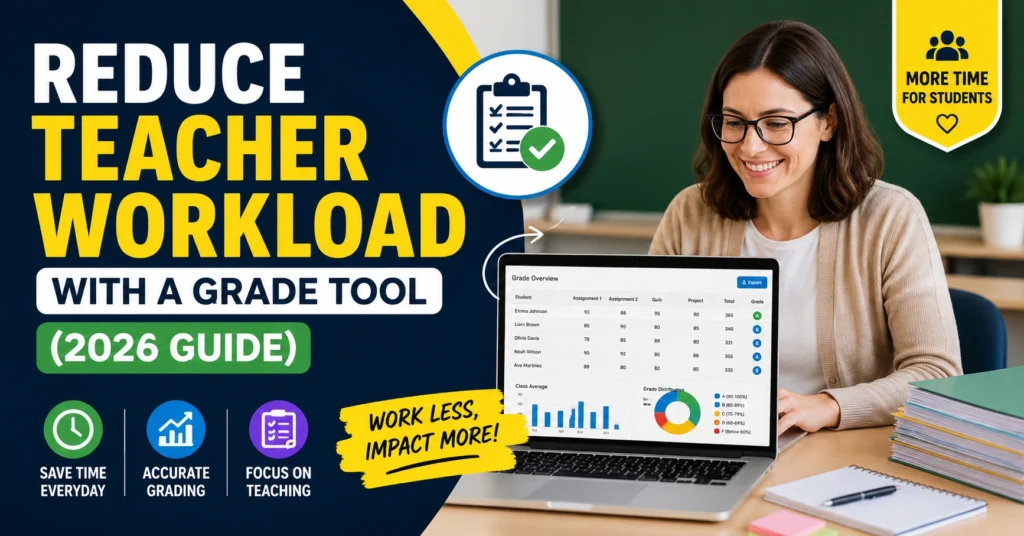
Using a grade tool gives real relief:
- Less manual work
- More time for teaching
- Better focus on students
- Faster report generation
- Reduced stress during exam season
Benefits for Schools
Not just teachers—schools also benefit:
- Standard grading system
- Better transparency
- Easy performance reports
- Less paperwork
- Faster result publishing
How It Works (Simple Steps)
- Create a class
- Add students
- Enter marks or answers
- Tool calculates grades
- Save or export results
That’s it—no complex setup.
Best Use Cases
Grade tools are helpful for:
- MCQ tests
- Weekly quizzes
- Assignments
- Final exams
- Online assessments
Why Grade Tools Are Important in 2026
Education is becoming more digital every year. Teachers now need tools that match this speed.
Grade tools help because:
- Classes are bigger
- Online exams are common
- Students expect fast feedback
- Schools want digital records
Simple Tips for Teachers
To get the best results:
- Set clear grading rules before exams
- Use rubrics for fairness
- Double-check student entries
- Keep feedback short and clear
- Use tools consistently
Common Problems (and Solutions)
Problem: Too many students to grade
Solution: Use auto-grading tools
Problem: Manual errors
Solution: Use digital calculation
Problem: Time pressure
Solution: Grade in batches using tools
FAQs
1. What is a grade tool?
It is a digital system that helps teachers calculate and manage student grades automatically.
2. How does it reduce workload?
It automates grading, saving hours of manual work.
3. Is it hard to use?
No, most grade tools are simple and beginner-friendly.
4. Can it be used for MCQs?
Yes, it works perfectly for MCQ tests and quizzes.
5. Do teachers need training?
Usually no, basic tools are very easy to understand.
6. Is it accurate?
Yes, if data is entered correctly.
7. Can results be exported?
Yes, most tools allow PDF or Excel export.
8. Is it useful for schools?
Yes, it helps manage large student data easily.
9. Can it give feedback?
Yes, teachers can add comments instantly.
10. Why is it important in 2026?
Because schools are digital, and fast grading is now required.
Final Thoughts
A grade tool is not just a software—it is a time saver for teachers. It reduces workload, improves accuracy, and makes grading simple.
In 2026, teachers who use digital grading tools can focus more on teaching and less on paperwork. It’s a small change that creates a big impact in daily school life.


