

Grade Calculator for Quiz Retakes and Regrades Simple Guide
Calculating your grade after a quiz retake or regrade can be tricky, but with the right tools, it’s quick and easy. Whether you’re aiming for a higher score or checking if the regrade has improved your result,Quick Grade a grade calculator simplifies the process. In this guide, we’ll walk you through how a grade calculator works and how it can help you track your progress and set goals for retakes or regrades. Let’s get started!
What Is a Grade Calculator?
A grade calculator helps you figure out your quiz score instantly by entering a few simple numbers. It tells you your percentage, letter grade, and sometimes even what score you need to improve. These tools work for quizzes, tests, and more.
Most grade calculators are free and work right in your browser, so there’s no need to install any apps.You can also read: How to Calculate Final Grades with Bonus Work: 2026
How It Works — Quick & Easy
Here’s how you use a grade calculator for quiz retakes or regrades:
1. Enter Total Questions
Type in how many questions the quiz had.
Example: 20 questions
2. Add Correct Answers
Put how many you got right.
3. Hit Calculate
The tool will instantly give you:
- Your percentage score
- Your letter grade
- How many questions you can miss to still get a target grade
That’s it!
Why It’s Useful for Retakes and Regrades
When you retake a quiz or ask for a regrade:
- You can plan ahead — see what score you need to reach your goal.
- You avoid confusing math — the calculator does it for you.
- You can track progress over time.
Example: Planning a Retake
Imagine your first quiz:
- 20 questions
- You got 14 correct
Your calculator might tell you:
- 70% score
- Letter grade = C (example)
Now you want to know what you need on the retake to get a B (80%).
Just change “Correct Answers” until the calculator shows 80%… and boom — you know your target.
Easy!
Tips to Improve Your Grade
Here are some simple tips that actually work:
Review Mistakes Before Retaking
Look at the questions you missed. Often one or two common errors cost lots of points.
Set a Target
Pick a score you want, not just need to pass. Targeting higher helps you plan better.
Practice Similar Questions
Doing extra questions like the quiz helps you build confidence before the retake.
Bonus: Using Target Mode
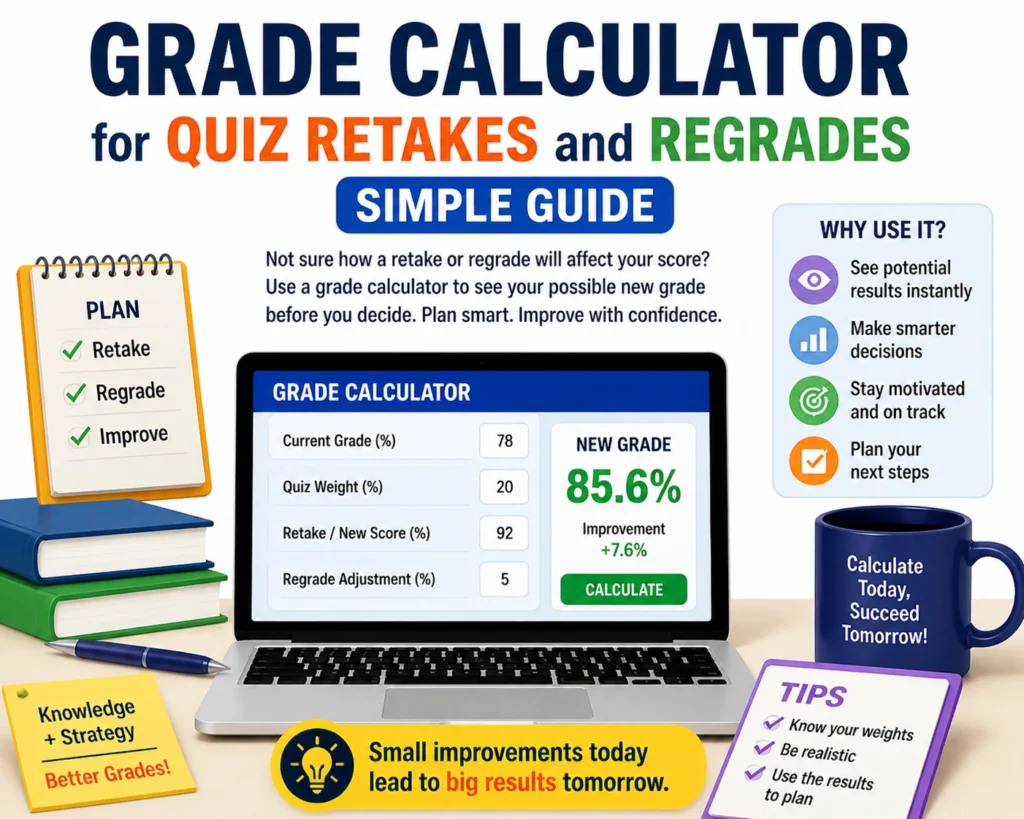
Many calculators let you enter a target grade (like 85%) and then show you exactly how many answers you must get right.
This is super useful before a retake — it tells you the score you should aim for.
Understanding Regrades and Their Impact on Your Final Score
Before rushing to request a regrade, it’s important to understand how it can affect your grade. A regrade is simply a review of your quiz by the teacher to ensure everything is graded accurately. Sometimes, mistakes happen, and asking for a regrade can benefit you.
If your teacher finds a grading error, your final score could increase. However, it’s important to note that not all regrades result in higher scores. If your answer was marked wrong, it’s likely because of a genuine mistake in your response.
When Should You Request a Retake?
Retakes can be a great way to improve your grade, but there are certain factors to consider. It’s essential to know the rules of your institution about retakes:
- Do you need to contact the teacher before a retake?
- Are there any time limits for requesting one?
- How many retakes are allowed for each quiz?
Make sure to clarify these details before jumping into a retake. If it’s your only opportunity to improve, use your time wisely and prepare thoroughly.
Quick Recap
- Grade calculators save time and stress
- They help you set smart goals for retakes and regrades
- You don’t need to do the math yourself
- They’re free and fast
If you use one before every retake or regrade, you’ll always know exactly what you need — and that’s half the battle.
(FAQs)
1. How do I know if I need a retake?
Check your current grade and compare it to the class average or your goals. If you’re not meeting your target score, consider a retake.
2. Can I use a grade calculator for any subject?
Yes! Grade calculators work for any type of quiz or exam, whether it’s math, history, or science. Just input the total questions and correct answers, and it will calculate your grade.
3. How accurate are regrades?
Regrades are highly accurate as they involve a second review of your quiz. However, be aware that not all regrades result in a better grade — sometimes it stays the same.
4. Do I need special permission for a retake?
Yes, most schools or teachers require prior approval or a specific reason to retake a quiz. Check with your instructor about their policies.
5. Can a grade calculator help me predict my final grade?
Yes! Some calculators allow you to input future quiz results and predict your final grade based on various scenarios.
Final Words
Grade calculators are simple yet powerful tools to help you understand your academic progress. Whether you’re preparing for a quiz retake or requesting a regrade, these tools can give you the clarity you need. Keep your goals in mind, and use these tips to maximize your chances of success. Best of luck with your studies!


