

Teacher Grader for Custom Grade Scales
If you’re a teacher or school admin, you know that not all classes use the same grading system. Some follow standard A‑F scales, Quick Grade, but many teachers prefer custom grade scales that match their classroom style or curriculum goals.
This guide will explain what a teacher grader is, how custom grade scales work, and how to set them up the right way — without confusing math or complicated tools. I’ll walk you through it like I’m helping a friend.
What Is a Teacher Grader with Custom Grade Scales?
A teacher grader is any tool, system, or method a teacher uses to calculate and assign final grades. When you add custom grade scales, you aren’t stuck with the usual A, B, C, D, F format. Instead, your grading scale might include:
- Custom letter grades
- Proficiency labels (like emerging, developing, secure)
- Numbers or performance levels unique to your teaching style
Custom scales help you match grading to learning goals, not just percentages. This means your gradebook works the way you want it to.
Why Use a Custom Grade Scale?
Custom grade scales are powerful because they:
- Let you personalize how students are evaluated
- Fit grading to your teaching style (e.g., mastery‑based learning)
- Help communicate performance more clearly to students and parents
- Allow different programs or departments to use different scales
Some systems let you create custom scales that include as many grades as you want, and you can map them to numerical values for calculations.
How Custom Grade Scales Work — Explained Simply
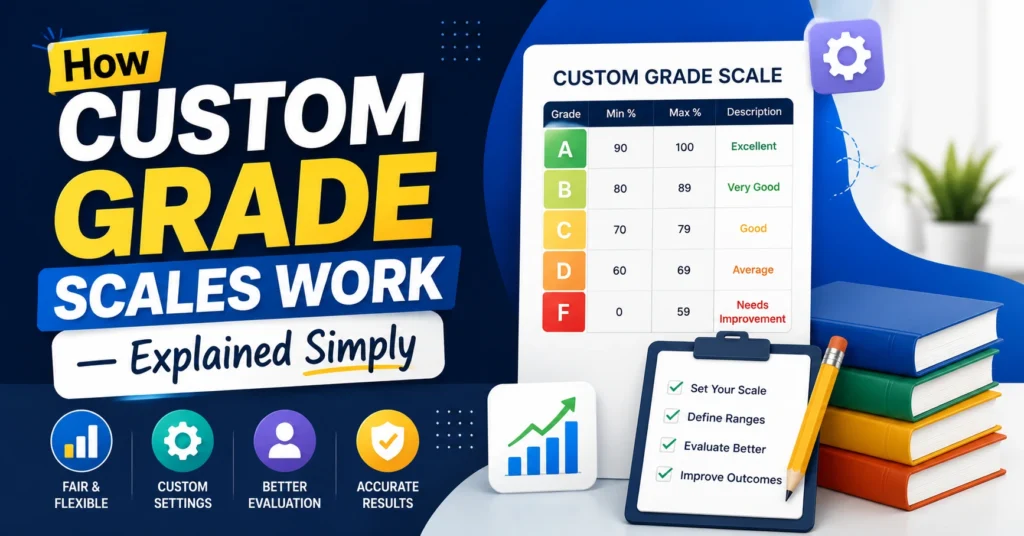
Think of a custom grade scale as a grading map.
Instead of saying “90–100 = A,” you might decide:
- Advanced = 90–100
- Proficient = 80–89
- Developing = 70–79
- Beginning = 60–69
- Needs Support = below 60
Each performance label matches a range of scores. When you enter a student’s score, the grader matches it to the right label.You can also read:How to Convert Rubrics Into Percent Grades in 2026
How to Create a Custom Grade Scale (Quick Guide)
Here’s an easy approach you can follow:
1. Decide Your Grade Labels
These could be:
- A, B, C, etc.
- Mastery, Emerging, Beginning
- Custom words that make sense in your class
Choose labels that students will understand.
2. Set the Numerical Ranges
Assign a percentage range for each label. For example:
- 90–100 = Advanced
- 80–89 = Proficient
- 70–79 = Developing
Make sure ranges don’t overlap and every possible score fits somewhere.
3. Add the Scale to Your Gradebook
Whether you’re using a digital gradebook, LMS, or SIS, there’s usually an option to create or select a grade scale.
Most systems let you:
- Enter grade names
- Define min and max percentages
- Save it for use in your classes
4. Apply Your Scale to Assignments
Once your scale is created:
- Assign it to the class
- Link it to specific quizzes, tests, or assignments
- Update it if you change how you want to grade
In many systems, teachers can save custom scales and reuse them for future classes.
Examples of Custom Grade Scales
Here are a few you might use:
Simple Letter Scale
- A = 90–100
- B = 80–89
- C = 70–79
- D = 60–69
- F = below 60
Competency Scale
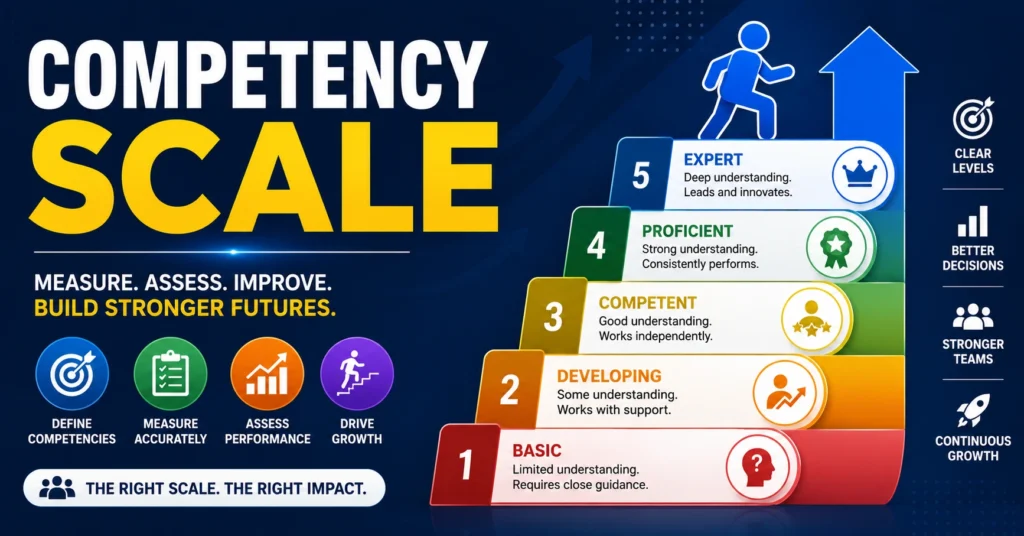
- Secure = 4
- Developing = 3
- Approaching = 2
- Beginning = 1
Descriptive Performance Scale
- Exceeds Expectations
- Meets Expectations
- Needs Improvement
- Below Expectations
These help especially when you want skill‑based feedback, not just letters.
Tips Teachers Love
- Test it before you use it — try your scale on a few sample scores.
- Be consistent — use the same scale for similar assignments.
- Record your definitions in your syllabus so students know how grades work.
- Keep ranges balanced so each grade represents meaningful performance.
FAQs
What if the school already has a standard scale?
Some districts let teachers override scales for their own classes, but others require admin approval. Always check first.
Can I share a custom scale with other teachers?
Yes, many systems let you publish a scale so others in your school can use it.
Do custom scales affect GPA?
They can. Custom scales often map back to numerical or letter equivalents that feed into GPA calculations.
What if I need more than one scale?
No problem — most gradebooks let you create multiple scales and assign them to specific courses or sections.
Can I change a scale mid‑year?
Typically yes, but be careful — changing a scale after grades are entered can affect past results.
Final Words
A teacher grader with custom grade scales gives you flexibility and control over how students are evaluated. It helps you match your grading to your classroom goals, whether that’s mastery learning, standards‑based feedback, or a simple letter scale.
Creating a custom scale isn’t hard — think about what your students need, define your ranges, and apply it consistently. With the right setup, grading becomes faster, clearer, and fairer for everyone.


