

How to Use a Grading Calculator With Weighted Grades
Keeping track of your grades can feel confusing, especially when different assignments count for different percentages of your final score. Many students know their test scores and homework grades but still aren’t sure what their actual class average is. Quick Grade That’s where a grading calculator with weighted grades becomes useful. It helps you quickly calculate your current grade, understand how much each assignment affects your overall score, and estimate what you need on future exams to reach your target grade. Whether you’re in high school, college, or an online course, learning how to use a weighted grade calculator can save time and help you stay on track throughout the semester.
What Are Weighted Grades?
In many classes, not every assignment counts the same. For example:
- Homework might be worth 20% of your final grade
- Quizzes might be 30%
- Exams might be 50%
That’s what we call weighted grades — each part of your class has a weight showing how important it is.
Why Use a Grading Calculator?
Doing the math manually can be confusing. A grading calculator lets you:
- Enter your grades and weights
- Instantly see your current overall grade
- Try “what if” scenarios
- Plan how much you need to score to reach your goal
Online tools save time and reduce mistakes.
How a Weighted Grade Calculator Works (Easy Version)
Here’s the simple idea:
- Get your syllabus and find each category’s weight.
- Enter each grade you earned as a percentage.
- Enter the weights for those grades.
- The calculator does the math for you.
- It adds everything up and gives you your overall weighted grade.
The formula behind the calculation is:
(Grade × Weight) + (Grade × Weight) + … ÷ Total Weight
Most calculators handle this automatically, so you don’t need to do the math yourself.
Step-by-Step: Using the Calculator
Step 1: Find Your Grade Categories
Look at your course syllabus and identify categories such as:
- Homework
- Quizzes
- Projects
- Midterm Exams
- Final Exam
Step 2: Check Each Category Weight
Example:
| Category | Weight |
|---|---|
| Homework | 20% |
| Quizzes | 20% |
| Midterm | 25% |
| Final Exam | 35% |
Step 3: Enter Your Scores
Input the percentage you earned in each category.
Step 4: Click Calculate
The calculator will instantly display your weighted average grade.You can also read:How to Fix Wrong Grades in Your LMS
Quick Example You Can Try
Suppose you have:
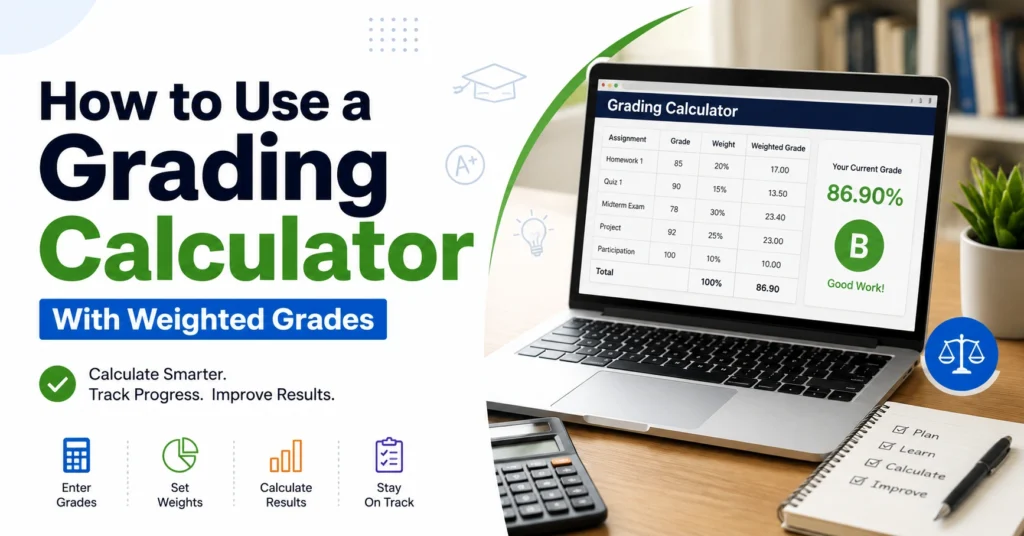
| Category | Grade | Weight |
|---|---|---|
| Homework | 92% | 20% |
| Midterm | 78% | 30% |
| Final Exam | 85% | 50% |
After calculating the weighted average, your overall grade would be approximately 85.8%.
Benefits of Using a Weighted Grade Calculator
A weighted grading calculator helps you:
- Monitor your academic performance
- Understand how much each assignment matters
- Set realistic grade goals
- Reduce calculation errors
- Prepare better for important exams
Many students use these calculators throughout the semester instead of waiting until final grades are released.
Tips for More Accurate Results
Check Your Syllabus Carefully
Always verify the grading percentages provided by your instructor.
Use Percentage Scores
Convert raw points into percentages before entering them.
Update Grades Regularly
Add new grades whenever assignments are completed.
Test Different Scenarios
Want an A in the course? Enter possible future exam scores to see what you need.
Common Mistakes to Avoid
Entering Incorrect Weights
Make sure category percentages match your course grading policy.
Mixing Points and Percentages
Use the same grading format throughout the calculation.
Ignoring Missing Assignments
Unsubmitted work can significantly lower your overall grade.
Forgetting Final Exam Weight
Final exams often carry the largest percentage and can greatly impact your grade.
Frequently Asked Questions
Can a weighted grade calculator predict my final grade?
Yes. By entering your current grades and estimated future scores, you can predict your final course grade.
What happens if the weights do not add up to 100%?
Most modern calculators automatically adjust the weights to provide an accurate result.
Are weighted grades better than regular grades?
Weighted grades provide a more accurate picture because important assignments contribute more to the final grade.
Can I use a grading calculator for college courses?
Yes. Weighted grade calculators work for high school, college, university, and online courses.
How often should I check my grades?
It’s a good idea to update your calculator after every major assignment or exam.
Final Thoughts
Learning how to use a grading calculator with weighted grades is one of the easiest ways to stay informed about your academic progress. Instead of guessing where you stand, you can see your current grade instantly and make smarter decisions about studying and exam preparation. A few minutes spent updating your grades can help you avoid surprises at the end of the semester and keep you focused on achieving your academic goals.


