

Easy Grader for Partial Credit Tests (2026)
Grading tests with partial credit can take a lot of time. Teachers want to give fair scores, especially when students show their work and demonstrate understanding even if the final answer is not completely correct. In 2026, easy grader tools help make grading faster,Quick Grade, simpler, and more consistent. This guide explains everything you need to know.
What Is an Easy Grader With Partial Credit?
An Easy Grader is a tool that helps teachers calculate scores quickly while allowing partial credit for answers that are only partly correct.
Instead of grading every paper manually, the tool follows the scoring rules set by the teacher. It can award points for correct steps, logical thinking, and partially correct answers rather than focusing only on the final result.
Why Partial Credit Matters
Partial credit allows students to earn points when they demonstrate understanding, even if they do not reach the correct final answer.
Benefits of partial credit include:
- Rewards student effort and problem-solving skills
- Encourages students to show their work
- Provides a more accurate measure of understanding
- Helps students stay motivated
This grading method is especially useful in subjects such as mathematics, science, and essay-based assessments.
What Modern Easy Graders Can Do in 2026
Today’s grading tools offer more than simple score calculations. Many include advanced features that help teachers save time and improve grading accuracy.
Common features include:
- Uploading scanned tests and assignments
- Reading typed and handwritten answers
- Applying custom grading rubrics
- Awarding partial credit automatically
- Generating class performance reports
- Allowing teachers to review and edit scores
These tools help streamline the grading process while keeping teachers in control of final decisions.
How to Create a Good Partial Credit Rubric
A grading rubric provides clear rules for scoring student work.
To create an effective rubric:
- List every step required to solve a problem
- Assign points to each step
- Define what earns full, partial, or no credit
- Keep grading standards consistent
- Share expectations with students before the test
A clear rubric helps ensure fairness and reduces confusion for both teachers and students.
Comparing Popular Easy Grader Tools
Different grading tools offer different strengths.
Some focus on speed and automation, while others provide advanced reporting and analytics. When choosing a grading tool, consider:
- Ease of use
- Support for partial credit scoring
- Reporting features
- Integration with classroom systems
- Cost and subscription options
Selecting the right tool depends on your teaching style and classroom needs.You can also read: How to Use a Grading Calculator With Weighted Grades
Simple Steps to Use an Easy Grader
Most grading tools follow a similar process.
Step 1: Upload Student Work
Scan or photograph assignments and upload them to the grading platform.
Step 2: Create a Rubric
Set point values for each question or step.
Step 3: Grade Automatically
Allow the software to calculate scores and identify opportunities for partial credit.
Step 4: Review Results
Check the scores and make adjustments if necessary.
Step 5: Export Reports
Download grades and performance reports for your records.
Following these steps can save hours of grading time.
Tips for Grading Partial Credit Effectively
Good partial credit grading requires consistency and fairness.
Here are a few useful tips:
- Use detailed grading rubrics
- Break complex questions into smaller sections
- Award points for correct methods and reasoning
- Provide feedback whenever possible
- Apply the same standards to all students
Consistent grading helps students understand how their work is evaluated.
Why Teachers Love Easy Graders
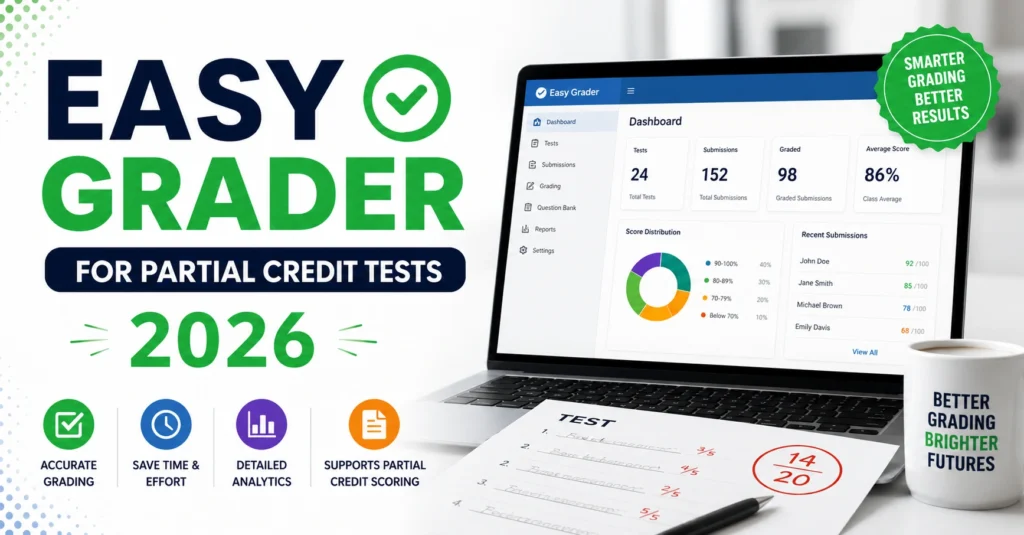
Easy grader tools have become popular because they offer several benefits:
- Reduce grading time
- Improve consistency
- Support fair partial credit scoring
- Generate useful performance data
- Help identify learning gaps
- Allow teachers to spend more time teaching
These advantages make grading less stressful and more efficient.
Frequently Asked Questions
What is partial credit grading?
Partial credit grading allows students to earn points for portions of an answer that are correct, even if the entire answer is not correct.
Can Easy Grader tools read handwriting?
Many modern grading tools can recognize handwriting, though accuracy may vary depending on handwriting quality and image clarity.
Are Easy Grader tools free?
Some tools offer free versions with limited features, while advanced grading capabilities often require a paid subscription.
Is partial credit grading fair?
Yes. When teachers use clear rubrics and consistent standards, partial credit provides a fair assessment of student understanding.
Can Easy Grader completely replace manual grading?
No. These tools assist with grading and save time, but teachers should still review scores and provide final approval when necessary.
Final Words
Grading tests does not have to be difficult or time-consuming. Easy Grader tools for partial credit tests help teachers score assignments fairly while saving valuable time. By using clear rubrics and modern grading technology, educators can focus more on teaching and less on paperwork.
As classrooms continue to adopt digital solutions in 2026, Easy Grader tools are becoming an essential resource for teachers who want accurate, consistent, and efficient grading.


