

Grade Calculator for Multiple Grading Systems 2026
Managing grades can be tricky, especially when your school uses multiple grading systems. Some courses might use points-based grading, Quick Grade, others might use weighted grading, standards-based, or even mastery grading. Calculating final grades accurately across these different systems can be overwhelming without the right tools.
This guide explains how to use a grade calculator for multiple grading systems, step by step, so you can calculate grades accurately, save time, and keep your students informed.
Why You Need a Grade Calculator for Multiple Systems
Different grading systems measure learning in different ways:
- Points-based: Simple total points divided by total possible points.
- Weighted grades: Different categories (exams, homework, projects) carry different weights.
- Standards-based: Grades reflect mastery of specific skills or learning standards.
- Mastery grading: Shows how well a student achieves learning goals over time.
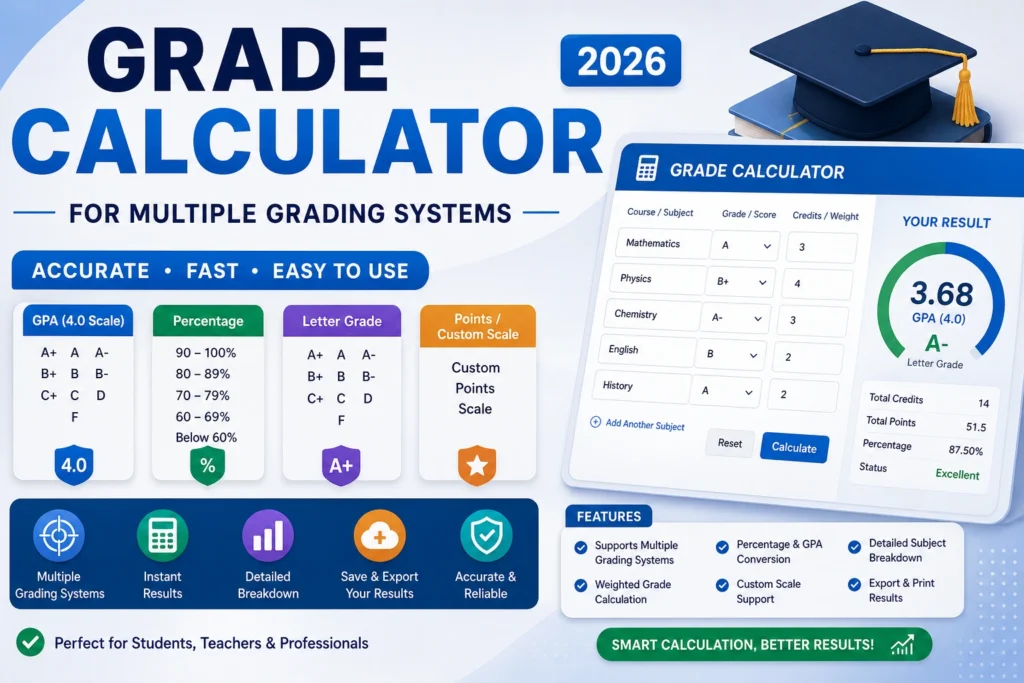
A good grade calculator can handle all these systems in one place, so you don’t have to manually calculate percentages, averages, or weights for each student.
How to Use a Grade Calculator Across Multiple Systems
Step 1 – Gather Assignment Data
Start by collecting all scores and details:
- Points earned
- Total points possible
- Category weights (if applicable)
- Standards or learning objectives
Having a clear record makes entering data into a calculator much faster.You can also read: Easy Grader for Middle School Teachers
Step 2 – Choose Your Grading Method
Depending on your system:
- Points-Based: Enter earned points and total points for each assignment.
- Weighted Grades: Enter scores and category weights; the calculator multiplies scores by weights.
- Standards or Mastery Grading: Enter mastery levels for each standard; the calculator computes an overall mastery score.
Most modern grade calculators can switch between these methods in one tool.
Step 3 – Enter Scores Into the Calculator
Input data for each student:
- Points earned or mastery levels
- Total possible points or standards
- Category weights (if using weighted system)
The calculator will automatically compute:
- Percentages
- Weighted averages
- Mastery levels or proficiency scores
Step 4 – Review and Adjust
After calculations:
- Check for missing assignments or late work.
- Adjust scores if your policy allows late submissions.
- Verify that final grades align with your grading philosophy.
Tips for Using a Grade Calculator Effectively
- Create templates: Set up spreadsheet templates to save repeated data entry.
- Use digital gradebooks: Tools like Google Sheets, Excel, or LMS gradebooks can automate calculations.
- Double-check weights: Make sure category weights sum to 100% in weighted systems.
- Track missing work: Use the calculator to see which students have missing assignments.
- Explain the system: Students and parents should understand how each system calculates grades.
Example: Multiple Grading Systems
| Assignment | Score | Total | Weight | Standard/Mastery |
|---|---|---|---|---|
| Quiz | 18 | 20 | 20% | Proficient |
| Project | 85 | 100 | 50% | Advanced |
| Homework | 13 | 15 | 30% | Developing |
Points-Based Calculation:
Total points earned ÷ Total possible = (18+85+13) ÷ (20+100+15) = 116 ÷ 135 = 86%
Weighted Calculation:
Quiz: 18 ÷ 20 × 0.2 = 0.18
Project: 85 ÷ 100 × 0.5 = 0.425
Homework: 13 ÷ 15 × 0.3 = 0.26
Final Grade = 0.18 + 0.425 + 0.26 = 0.865 → 86.5%
Standards-Based/Mastery:
The calculator can also translate Proficient, Advanced, and Developing into an overall mastery score.
FAQs About Grade Calculators for Multiple Systems
1. Can one calculator handle points, weighted, and mastery grading?
Yes, modern grade calculators support multiple grading methods in one tool.
2. How do I track late or missing assignments?
Enter missing work as zero or leave it blank. Many calculators allow you to update grades when assignments are submitted.
3. Do I need to convert mastery levels to percentages?
Some calculators do this automatically. Others allow you to assign numeric values to mastery levels for easier calculation.
4. Are weighted grades harder to calculate?
Not with a calculator. Just enter the score and the weight, and it computes the weighted contribution automatically.
5. Can students see their progress in real time?
If you use a digital gradebook or online calculator, students can often view updated scores and mastery levels as you enter data.
Final Words
A grade calculator for multiple grading systems makes managing grades easier, faster, and more accurate. Whether you’re using points, weighted categories, or mastery-based grading, the right tool can save hours of work, prevent errors, and provide clear feedback to students and parents. By setting up a simple system and entering scores consistently, you can track student progress confidently across all grading systems.


