

How to Track Missing Work in Grade Calculations
Tracking missing assignments and calculating grades can be tricky, especially when you have multiple students and large classes. Quick Grade Missing work can impact a student’s grade unfairly if it’s not tracked properly. The good news is, there are simple ways to monitor, record, and calculate grades that account for missing work without creating confusion.
This guide shows you how to track missing work effectively and calculate grades accurately, step by step, using clear methods and easy-to-use tools.

Why Tracking Missing Work Matters
Missing assignments can make grade calculation tricky. Here’s why tracking them is important:
- Fair grading: Ensures students aren’t penalized more than they should be.
- Identifies gaps: Helps teachers see which students need extra support.
- Keeps grades accurate: Prevents final grades from being inflated or deflated by unrecorded work.
- Streamlines reporting: Makes it easier to generate report cards or progress reports.
By tracking missing work properly, you create a clear picture of both student performance and classroom trends.
Step 1 – Decide How to Record Missing Work
There are several methods you can use to track missing work:
1. Use a Code or Symbol
- Common symbols: “M” for missing, “0” for not submitted.
- Make sure you communicate the meaning of symbols to students and parents.
2. Enter as Zero or Leave Blank
- Entering a zero immediately shows the impact on grades.
- Leaving blank keeps it separate until the student submits.
3. Track Separately in a Log
- Maintain a missing work log in a spreadsheet or gradebook.
- This helps track late submissions and any adjustments later.
Step 2 – Decide How Missing Work Affects Grades
You have to choose a grading approach for missing work:
- Count as zero: Penalizes students for missing assignments.
- Exclude until submitted: Doesn’t affect the grade until they turn in the work.
- Weighted category: Missing work can impact a specific category like homework or participation instead of the total grade.
The approach depends on your grading policy and school standards.You can also read: Grade Calculator for Multiple Grading Systems 2026
Step 3 – Update Your Gradebook Regularly
Consistency is key. Make sure to:
- Enter missing work immediately.
- Update grades when work is submitted late.
- Use software or spreadsheets that calculate grades automatically.
Most digital gradebooks allow automatic adjustments for missing assignments and late submissions, which saves time.
Step 4 – Calculate Grades with Missing Work
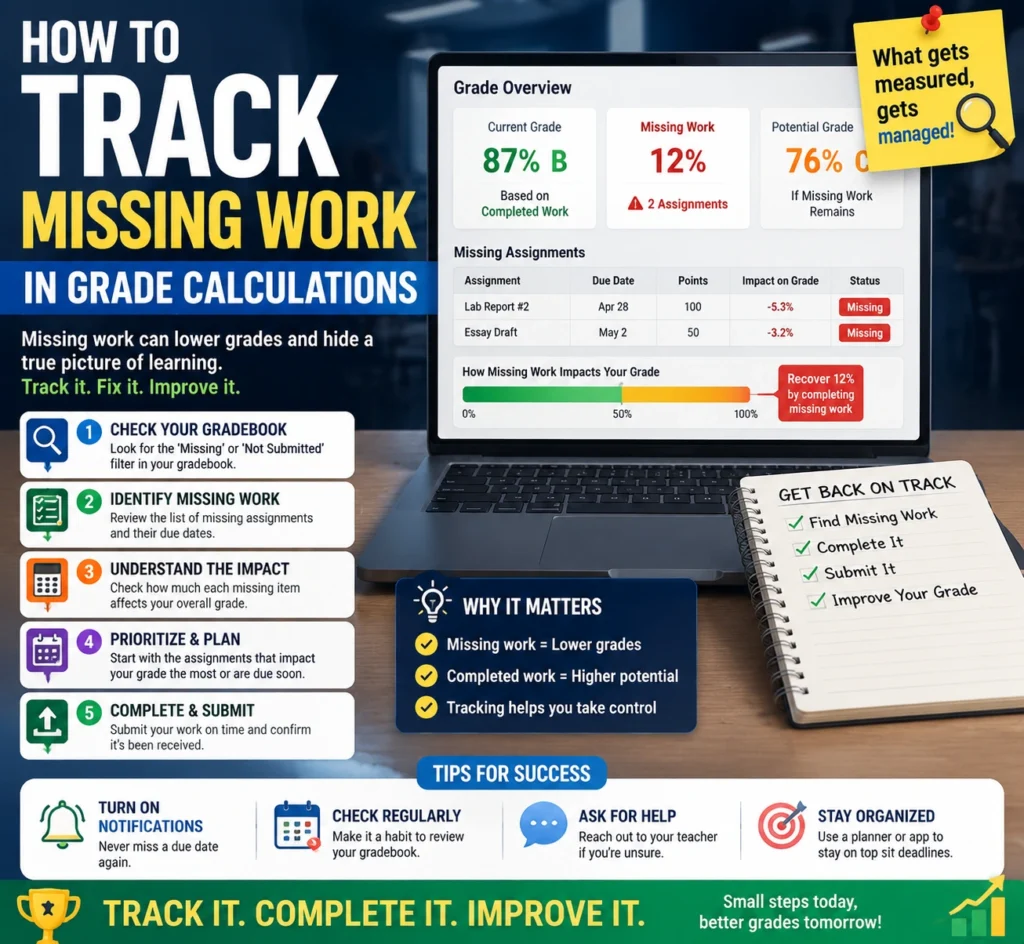
Here’s a simple way to calculate grades including missing assignments:
- Points-Based Calculation:
- Total earned points ÷ total possible points (including missing work counted as zero).
- Example: Total points = 100, earned = 85, missing work = 0 → 85 ÷ 100 = 85%.
- Weighted Calculation:
- Convert each assignment to a percentage.
- Multiply by the category weight.
- Missing work counts as zero for its weight.
- Add all weighted scores for the final grade.
This ensures missing work is reflected in the student’s grade without confusion.
Step 5 – Communicate with Students
Clear communication helps students understand the impact of missing work:
- Show which assignments are missing in real-time grade reports.
- Explain how missing work affects the grade.
- Provide deadlines or make-up opportunities.
This encourages accountability and motivates students to complete work on time.
Tips to Make Tracking Missing Work Easier
- Use color coding: Highlight missing work in red for quick visibility.
- Automate calculations: Use digital gradebooks to calculate scores automatically.
- Set reminders: Send alerts for missing assignments.
- Track trends: Note if the same student repeatedly misses work — you can provide support proactively.
- Include late work policy: Make sure students know how late submissions affect grades.
FAQs
1. Should missing work always be counted as zero?
Not necessarily. Some schools allow late submissions with reduced points. Check your grading policy.
2. How can I track missing work for large classes?
Use a spreadsheet or digital gradebook with automatic calculations. Many tools can flag missing assignments automatically.
3. How do missing assignments affect weighted grades?
Count the missing work as zero for its weight, or adjust category calculations depending on your policy.
4. Can students make up missing work?
Yes. You can allow late submissions, but clearly define how it affects the final grade.
5. What’s the easiest way to communicate missing work to students?
Share digital grade reports that highlight missing assignments. Color coding or notifications help students stay on track.
Final Words
Tracking missing work doesn’t have to be stressful. With a clear system, regular updates, and consistent communication, you can keep grades accurate and fair. Whether you use points-based or weighted calculations, a simple gradebook or digital tool can make the process smooth for both you and your students.
By monitoring missing work carefully, you help students stay accountable, provide accurate feedback, and maintain a transparent and fair grading system.


